
Surveys
Quickly get feedback from large groups of participants. Surveys are easy to administer and help inform future research initiatives. It’s the perfect companion to qualitative research.
Trusted by leading teams worldwide


News Corp


Recruiting
Survey design
Analyzing your project
AI Tools
Recruiting
Reach the right participants — from our panel, your own users, or both.
Recruit & target
 click to expand
Access to the PlaybookUX participant panel
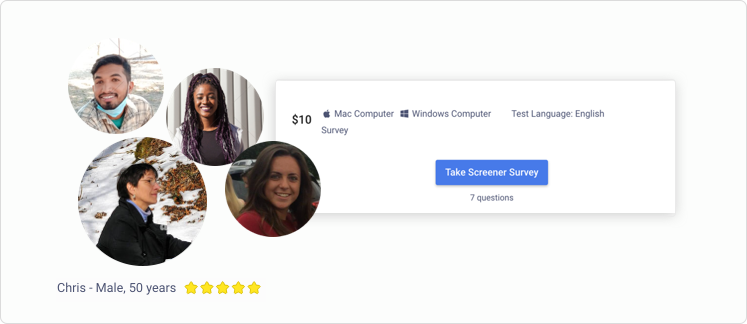
Recruit from a panel of over 6 million vetted participants, backed by an industry-leading fraud prevention program. Our robust participant platform matches participants with projects that fit their profile.
Learn more about the participant panel →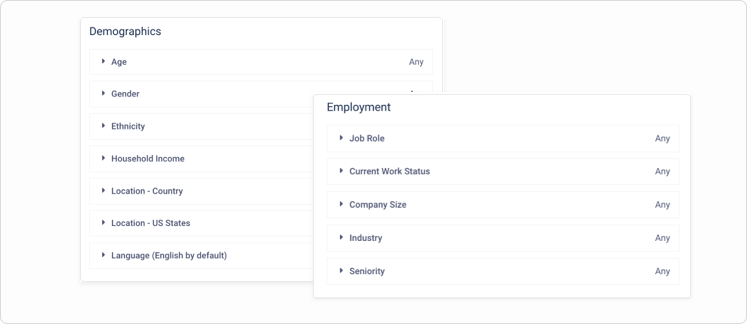 click to expand
Consumer & professional targeting
Target both consumers and professionals by age, gender, income, job title, industry and company size (among many other filters) and get more specific with screener questions.
 click to expand
Test with our participants or your own
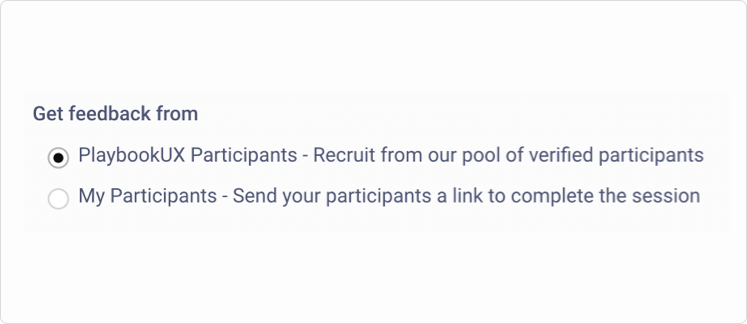
Use the PlaybookUX panel to recruit participants for your survey. Choose from a variety of demographic filters and add screening questions to find niche participants. Additionally, you can send your own customers a link to participate.
 click to expand
Screener survey
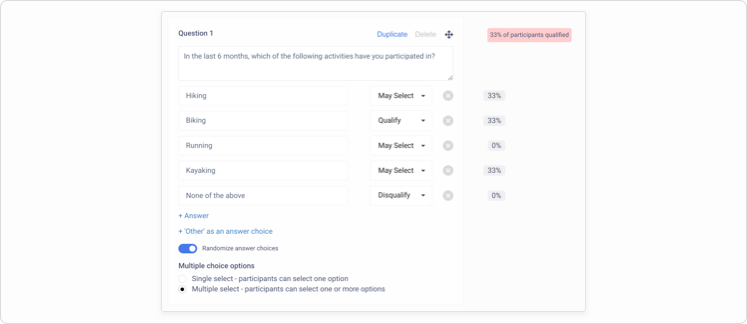
Qualify participants with single and multi select screener surveys. Reduce bias by randomizing the answer choices. Once your study is live, we'll surface where participants are disqualifying so you can make edits on the fly.
 click to expand
Segmentation
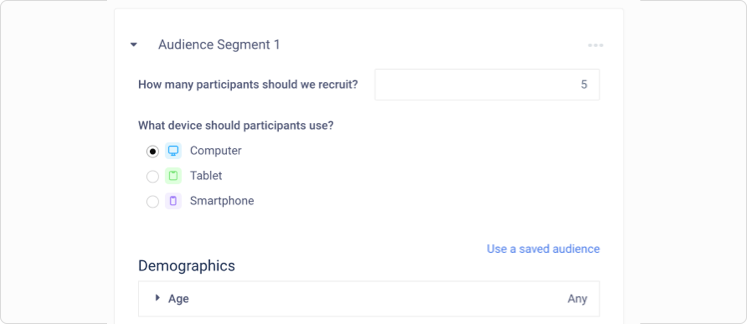
When you're using the PlaybookUX panel, you can set up segments to ensure exact demographic quotas.
 click to expand
Built-in Participant CRM
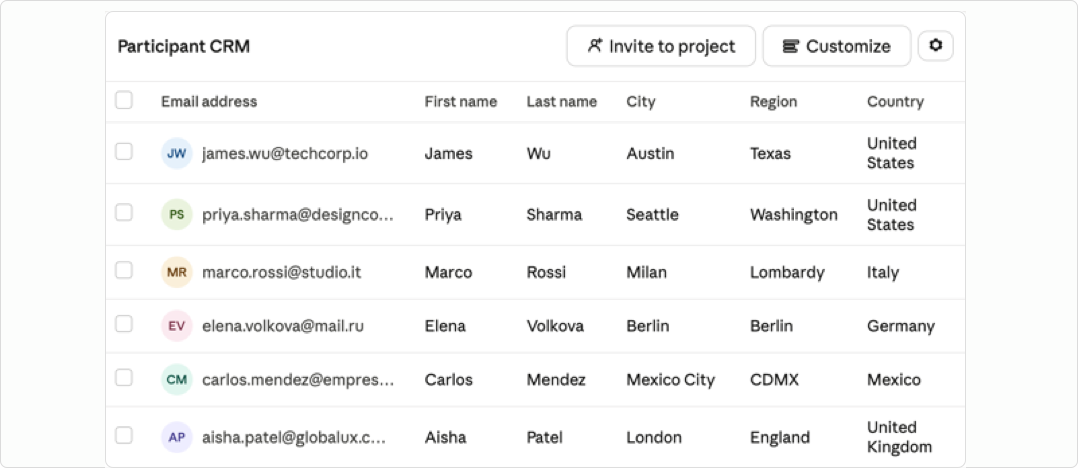
Build and manage your own participant CRM directly within the platform. Collect participants through intercept signups or upload your own lists. Configure your domain so all communications send from your own email.
Learn more about the Participant CRM →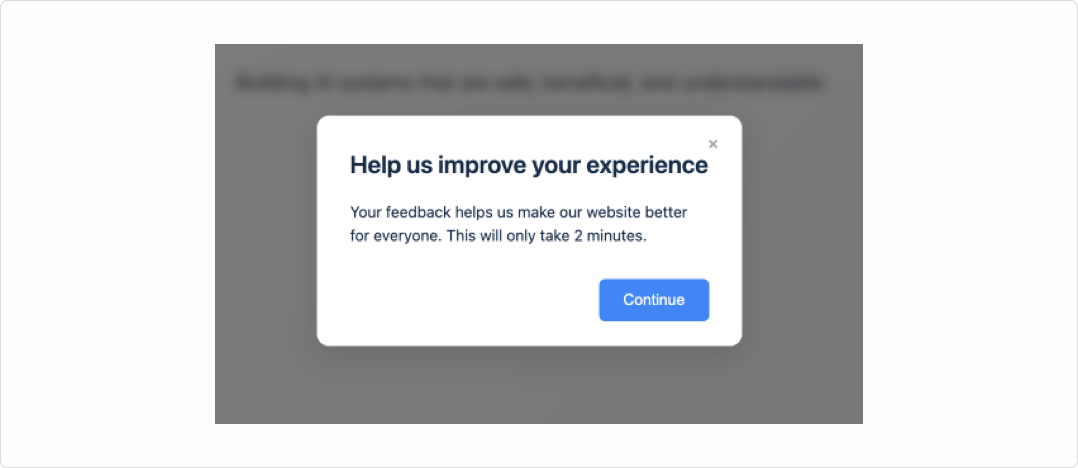 click to expand
Intercepts Patented
Intercept visitors at key moments based on behavioral and session-based triggers. Invite them to a study, prompt them to join a private panel, or capture feedback in context.
Survey design
Build surveys with flexible question types, logic, and mixed-method testing.
Survey design
 click to expand
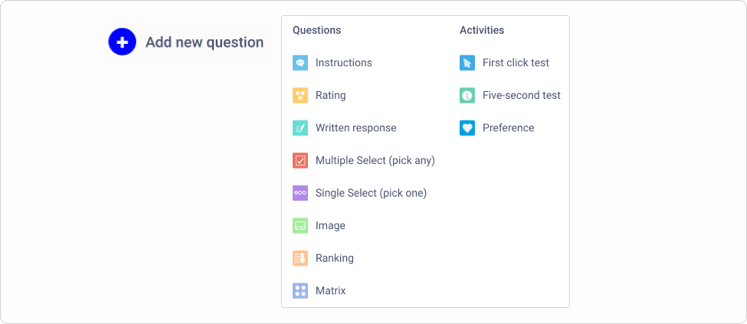
Open-ended & close-ended questions
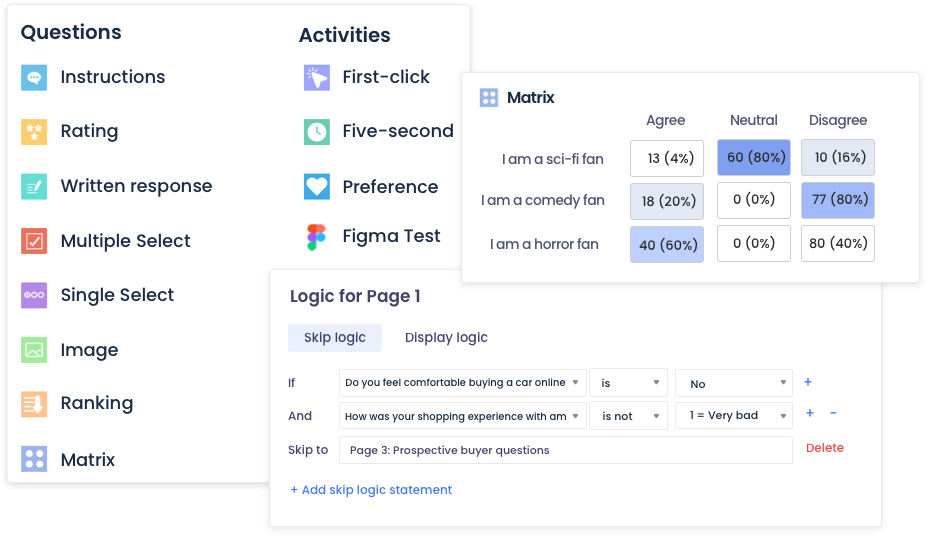
Leverage both open-ended questions and close-ended questions: multiple choice, written response, matrix, ranking and ratings to gather rich quantitative insights.
 click to expand
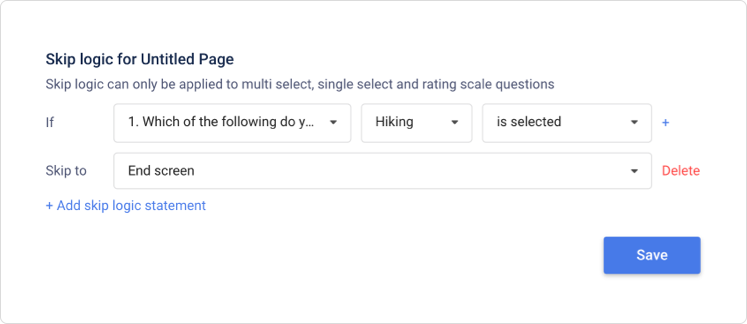
Branching logic
Direct participants to relevant questions, without needing to set up multiple studies. Create complex statements with AND & OR logic.
 click to expand
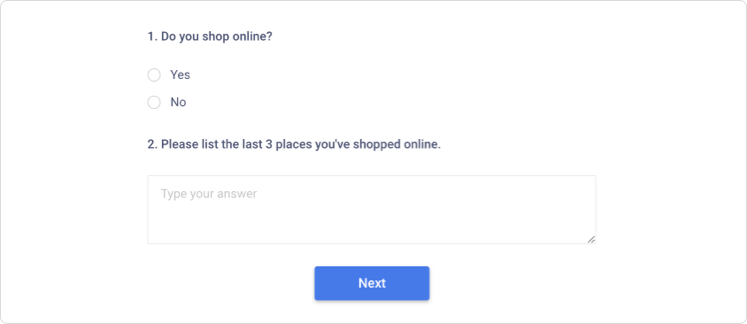
Randomize
Randomize survey questions within each page to reduce bias. Additionally, you can randomize the answer choices for multiple/single select test questions and screener questions.
 click to expand
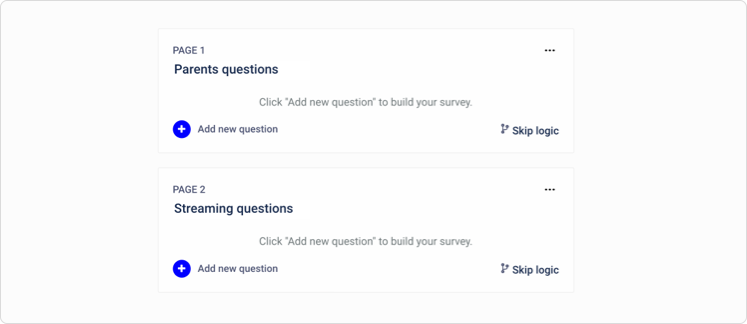
Flexible page structure
Organize questions in a way that makes sense to participants. Place each question on a different page, or group them together.
 click to expand
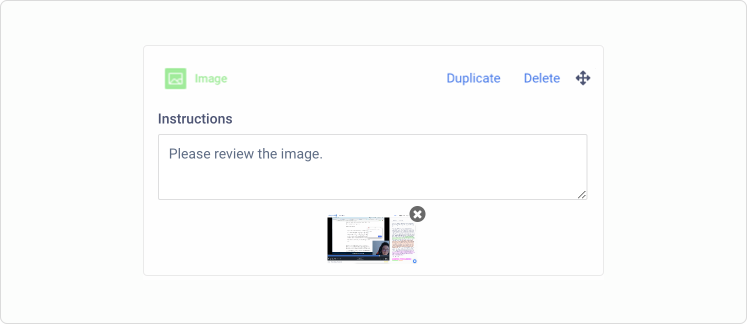
Image & Video Upload
Upload images right into your survey to gather feedback on new designs and concepts.
 click to expand
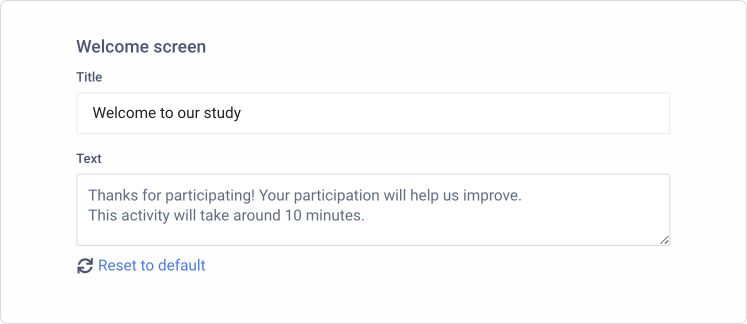
Personalize instructions
Customize the welcome page and end page to give your survey a personal touch.
Admin & governance
 click to expand
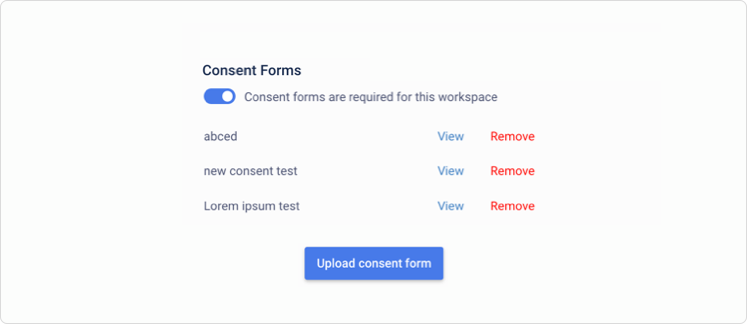
Custom consent forms
Skip the hassle of collecting confidentiality and consent forms prior to the session and upload a custom consent form to PlaybookUX. Participants will read and agree to the consent form prior to participating in your study.
 click to expand
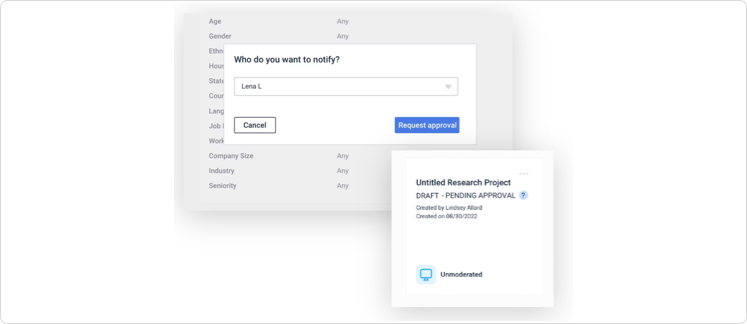
Approval roles
Admins can designate that certain team members require approval prior to launching a project, ensuring quality research governance. Alternatively, admins can exclude certain people from the approval flow.
 click to expand
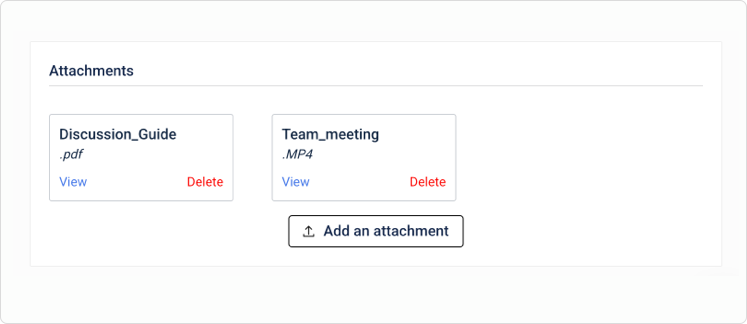
Attachments
Attach assets related to your research projects such as discussion guides, planning sessions and more.
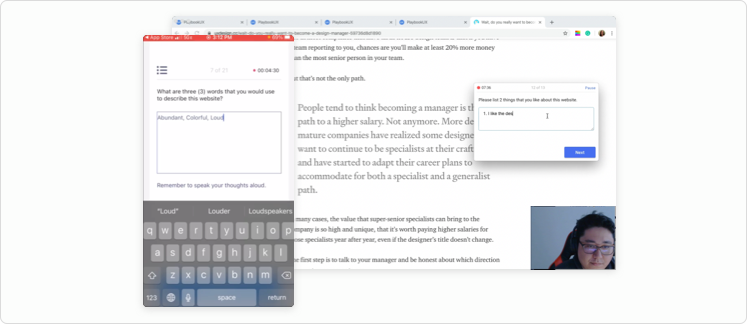
Mixed methods
 click to expand
Surveys with or without a recording
Conduct a survey without a recording or include it in an unmoderated or moderated session.
Learn more about unmoderated →Learn more about moderated →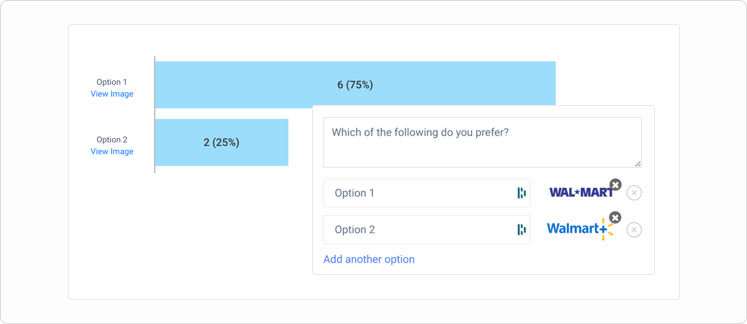 click to expand
Preference testing
Add a preference test to understand which design participants prefer and why.
Learn more about preference testing →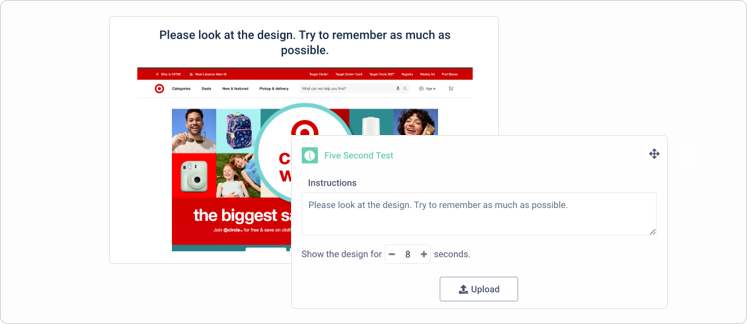 click to expand
Five second testing
Gauge your customers' first impression of a design. You're not limited to 5 seconds — you can configure how long the design is presented to participants.
Learn more about five second testing →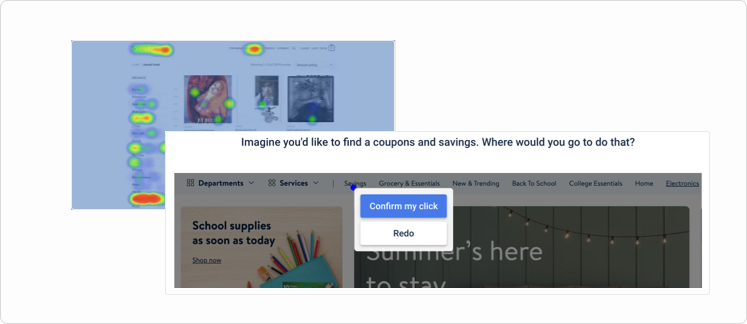 click to expand
First click testing
Understand what draws your customers' attention about a test asset. Use heat maps to analyze the results for a view into the aggregated participant data.
Learn more about first click testing →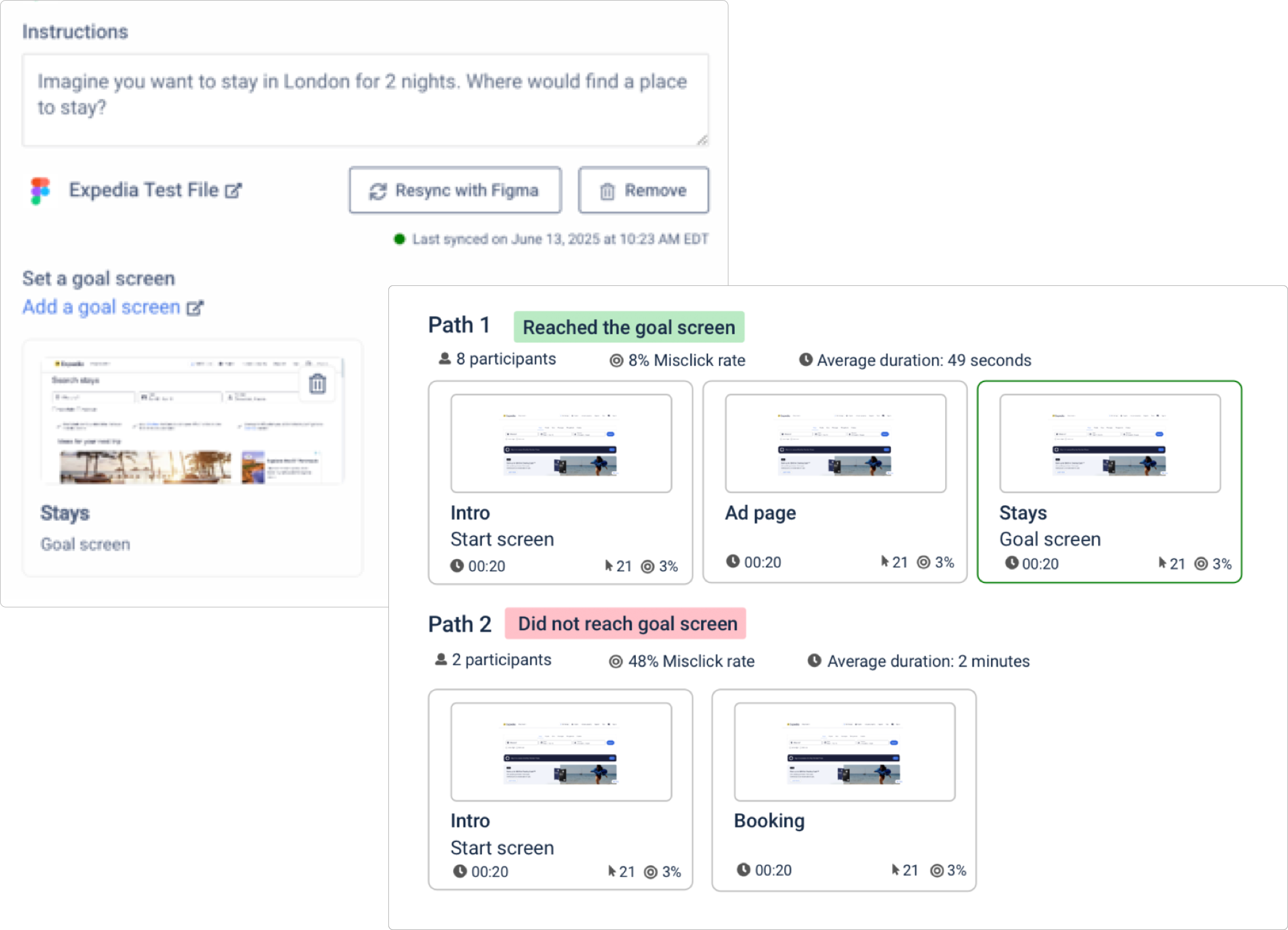 click to expand
Figma integration & testing
Set target screens to measure how effectively users navigate your prototype. Track goal completion rates, misclicks, time on each screen, and visualize interaction patterns with dynamic heat map and click map overlays.
Learn more about the Figma integration →Analyzing your project
Quickly surface insights and share findings with your team.
Analyze & report
 click to expand
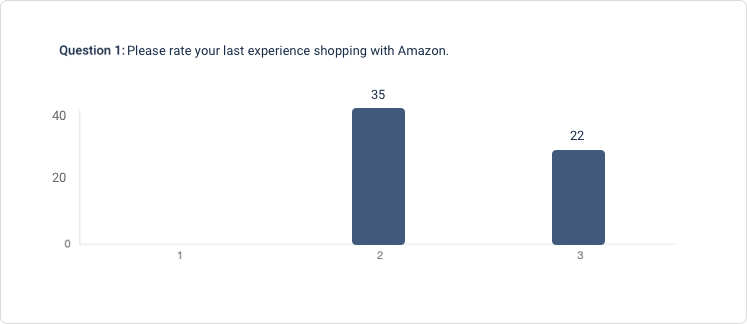
Analytics
Quickly analyze survey results with charts & graphs.
 click to expand
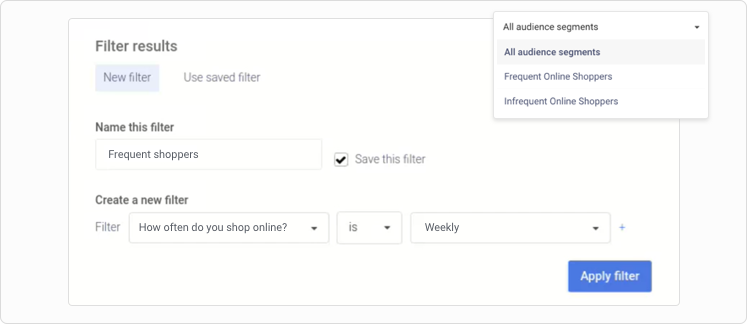
Advanced filtering
Filtering your survey results is a quick and powerful way to isolate specific parts of your data. You can filter data by segment, demographics, screeners and survey questions.
 click to expand
Build your own reports
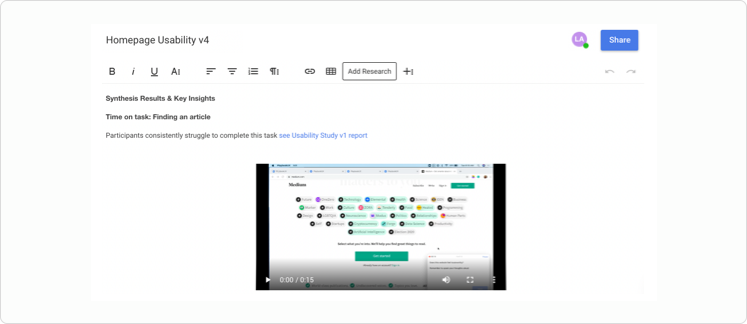
Create custom summary reports to present to team members. Reports are shareable with a password protected link.
Organize & share
 click to expand
Workspaces & folders
Keep your research organized by setting up workspaces for different research teams & initiatives. Within workspaces, sort projects into folders. Subsequently, you can group folders.
 click to expand
Share, download & export projects
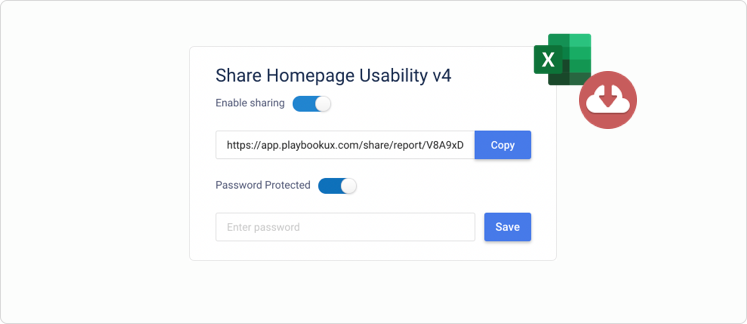
Full projects and reports are shareable with a password protected link. Additionally, you can export project data.
 click to expand
ISO 27001, ISO 27701, SOC 2 Type II
PlaybookUX prioritizes data protection and adheres to the highest security and privacy standards. Check out our security center to discover how we safeguard your information.
AI Tools
AI-powered features that automate and accelerate your research workflow.
Advanced AI
 click to expand
AI Personas (Synthetic Participants) Patented
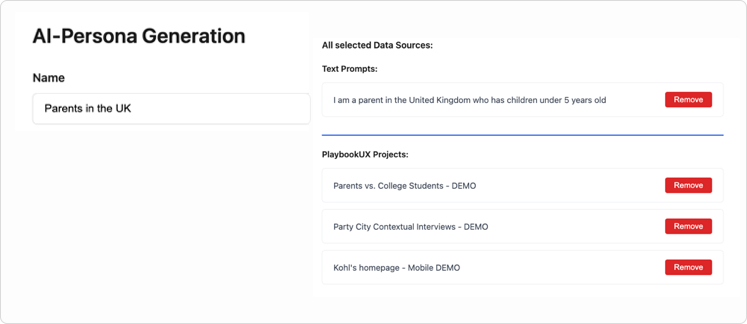
Generate lifelike AI personas directly from your PlaybookUX video research — grounded in actual user behavior, transcripts, and insights. Select videos from your library, enhance with custom prompts, then deploy these personas across future research studies for instant feedback and validation.
 click to expand
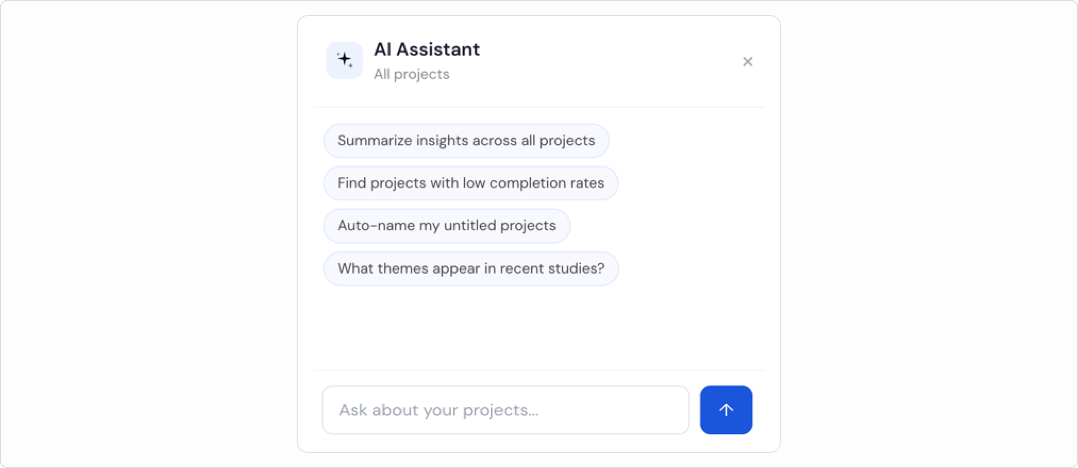
AI assistant (AI agent)
Leverage AI to run autonomous workflows, such as automatically tagging transcripts based on defined criteria, scheduling recurring usage reports via email, and handling a wide range of other repetitive tasks behind the scenes.
 click to expand
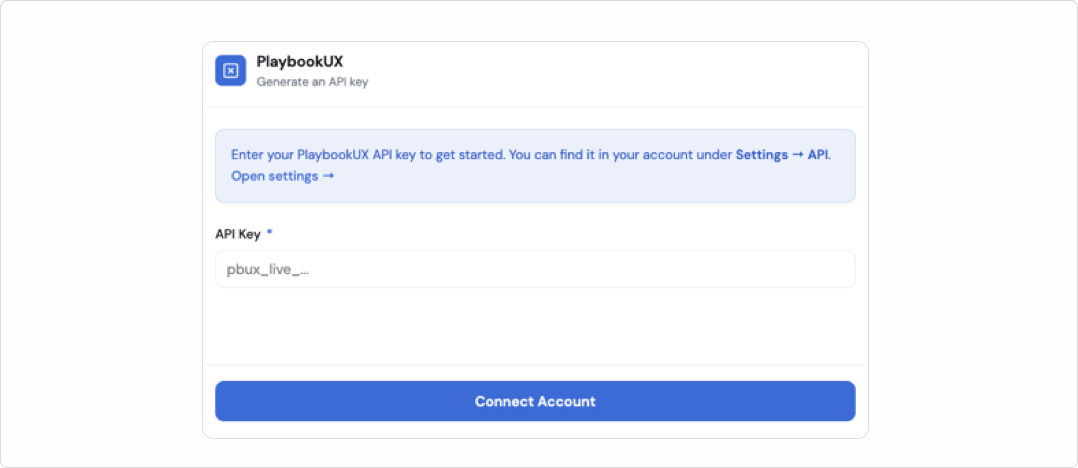
API & MCP
Connect to our public API, powered by an MCP layer, to launch projects, retrieve results, and seamlessly sync with your Participant CRM. Easily integrate with millions of other tools.
Insights & reporting
 click to expand
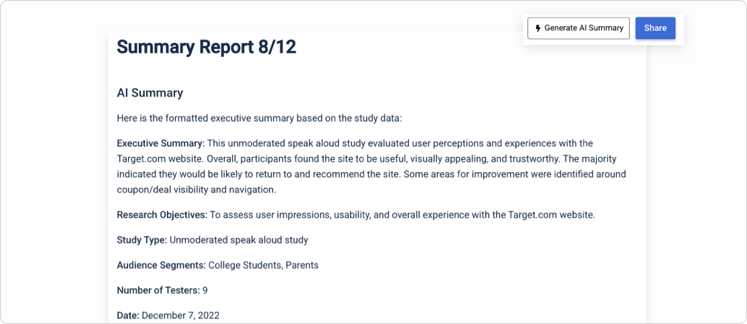
AI executive reports
Generate comprehensive executive summary reports instantly. These reports pull together study setup details, participant demographics, and transcriptions into a shareable report — highlighting key themes, participant quotes, and ideas for your next study.
 click to expand
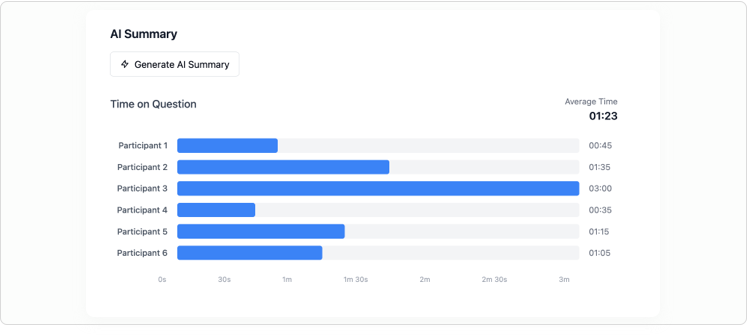
AI task summaries
Analyze verbal, written, and behavioral data from specific research tasks. Our AI will identify recurring themes, measure participant sentiment, points of friction, and flag any outlier responses.
Study setup
 click to expand
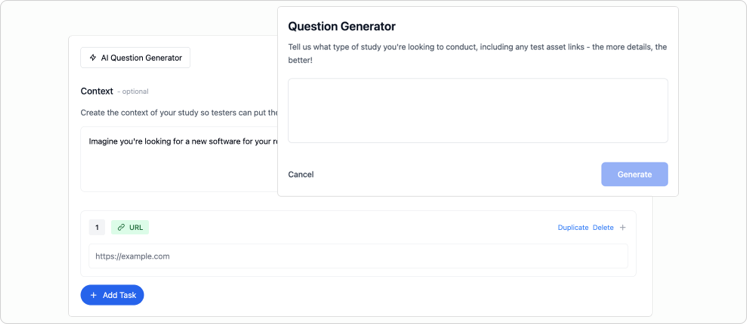
Generator: screener & study script
Build complete screener questionnaires and study guides from scratch. Just tell us your research objectives and share any materials you're testing — we'll create unbiased scripts that get you the insights you need.
 click to expand
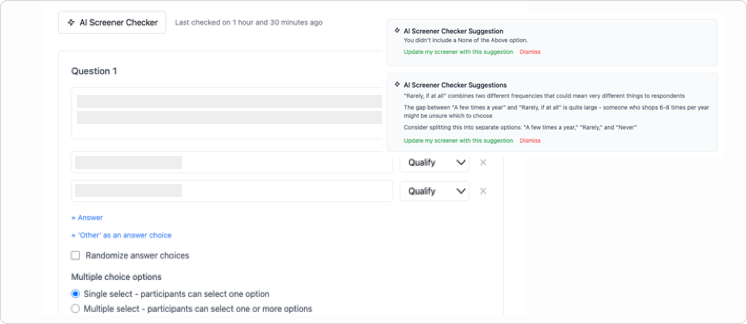
Question checker
Practice good research governance with AI-powered screener and question reviews. The system catches common research mistakes like missing "none of the above" options, vague response options, and industry jargon that might confuse participants.
 click to expand
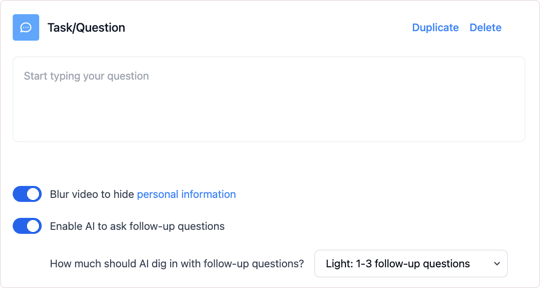
AI follow-up questions
Get richer insights from every session. Our AI asks smart follow-up questions that capture nuanced responses and additional data points you might have missed, giving researchers more comprehensive results to work with.