
Fully featured, unmoderated research and automated usability testing
PlaybookUX has the most complete usability testing software: from recruiting your target audience and collecting video-based feedback to transcribing sessions and surfacing insights with AI. Get answers faster without the logistics.
- Access to all testing methods: Unmoderated, Moderated, Card Sort, Tree Test, Surveys, First Click, Five Second, Preference Test (computer, tablet and mobile)
- PlaybookUX panel access to 7M+ Consumers and Professionals
- Participant CRM to bring your own participants
- Repository features: Tagging, universal search, upload external research
- Advanced AI features
- In-product intercepts
Get started with a free pilot from PlaybookUX
Fill out the form and a product specialist will be in touch.
Trusted by leading teams worldwide


Everything You Need in One Automated Platform
One platform for your entire research workflow: recruit, conduct, analyze, and share.
Book a demoRecruiting
Access a panel of over 7 million vetted participants. Set demographic filters, screener questions, and quotas, then let PlaybookUX automatically match and invite the right people to your study.
Nearly 90% of studies fill within a few hours.
Conducting
Participants complete tasks on their own time using the PlaybookUX recorder, which captures their face, voice, and screen across desktop, mobile, and tablet. No moderator required.
Analyzing
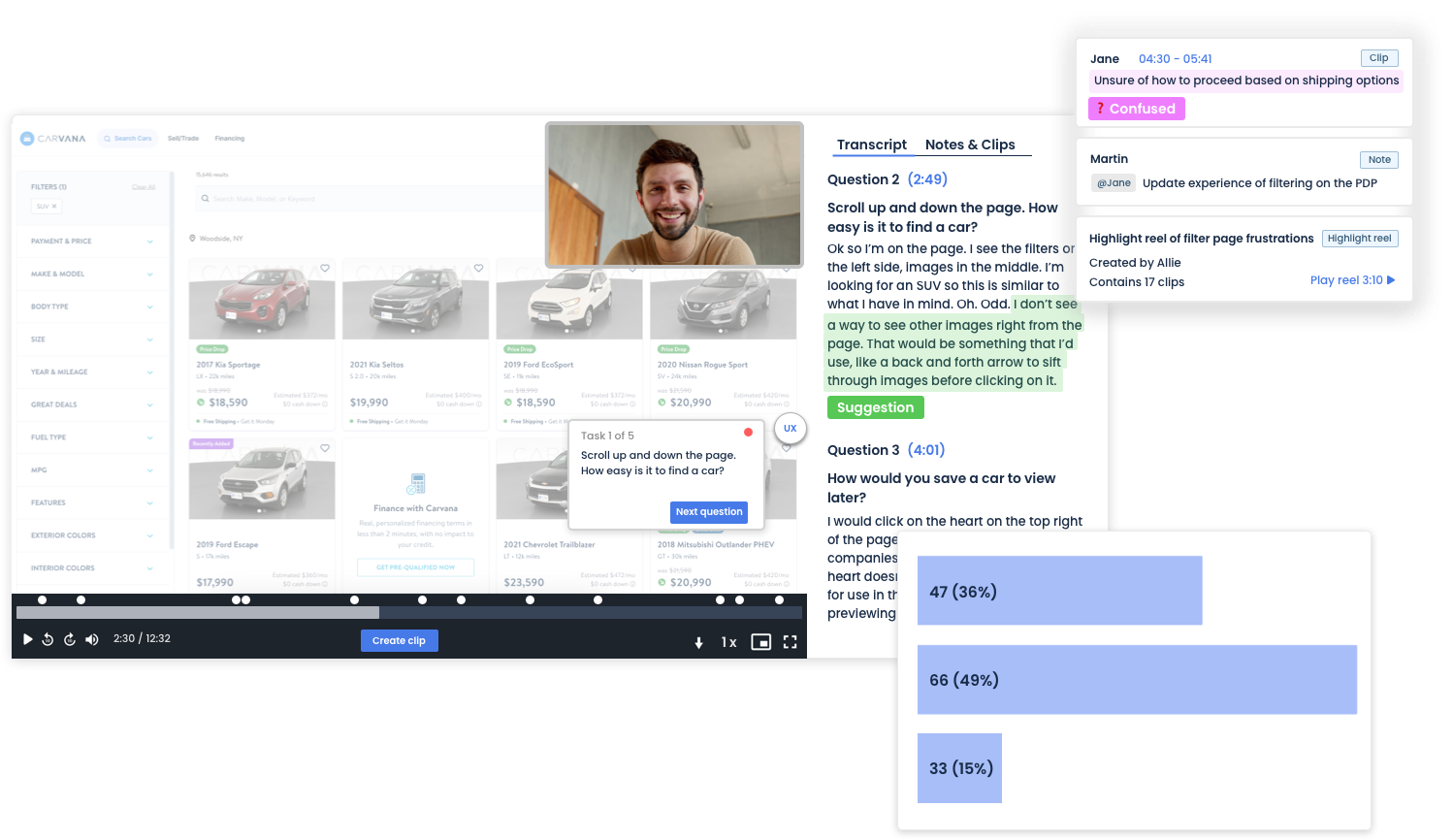
Quickly gather insights and analyze research with ease using our powerful suite of analysis tools. Take notes, clip, create highlight reels, and share results with your team.
Tag and Search
Stay on top of all your insights by building your central research repository within PlaybookUX. Since you are already conducting all of your research within PlaybookUX, tagging, searching, and organizing is easier than ever.
AI Research Tools
PlaybookUX embeds AI throughout the entire research process.
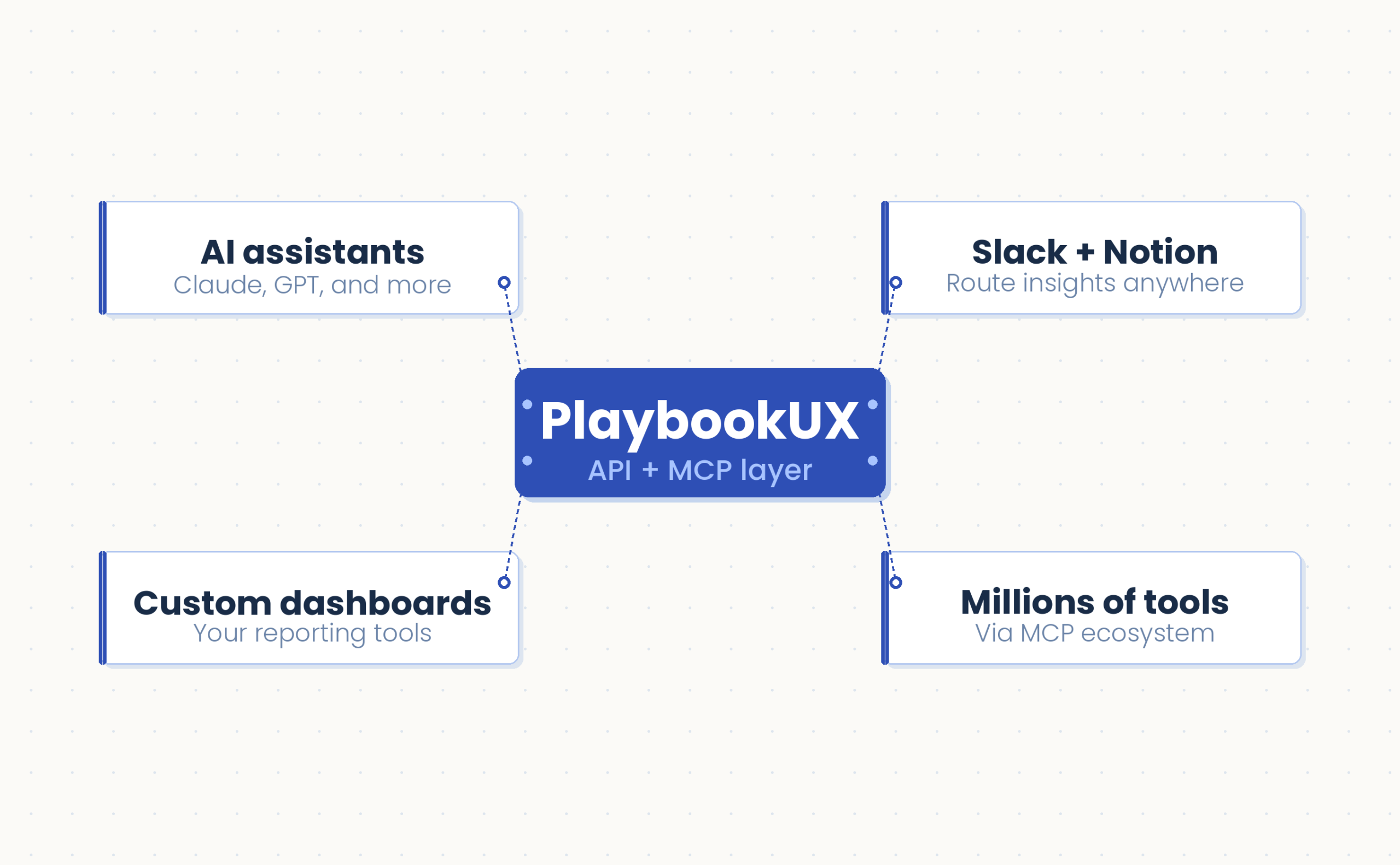
Extend the power of PlaybookUX beyond the platform. With the open API and MCP layer, your teams can push research data into any tool, pulling videos, transcripts, and insights directly into your existing workflows and automating project creation at scale.
Whether you're connecting to your data warehouse, triggering workflows from a CRM, or building internal tooling, the API gives you the flexibility to make PlaybookUX work the way you work.
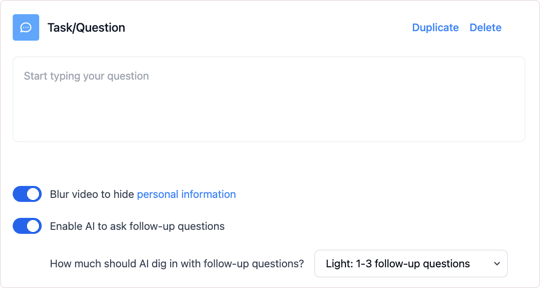
Get richer insights from every session. PlaybookUX asks smart follow-up questions that capture nuanced responses and additional data points you might have missed, giving researchers more comprehensive results to work with.
Other platforms might label this "AI-moderated," but this is about giving research teams better tools, not taking researchers out of the equation.
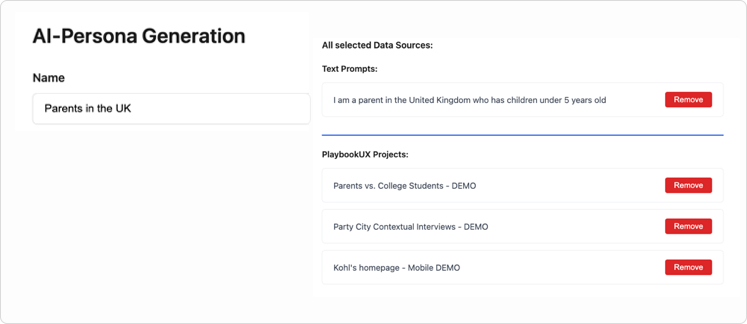
Generate lifelike AI personas directly from your PlaybookUX video research, grounded in actual user behavior, transcripts, and insights. Select videos from your library, enhance with custom prompts and data, then deploy these personas across future research studies for instant feedback and validation.
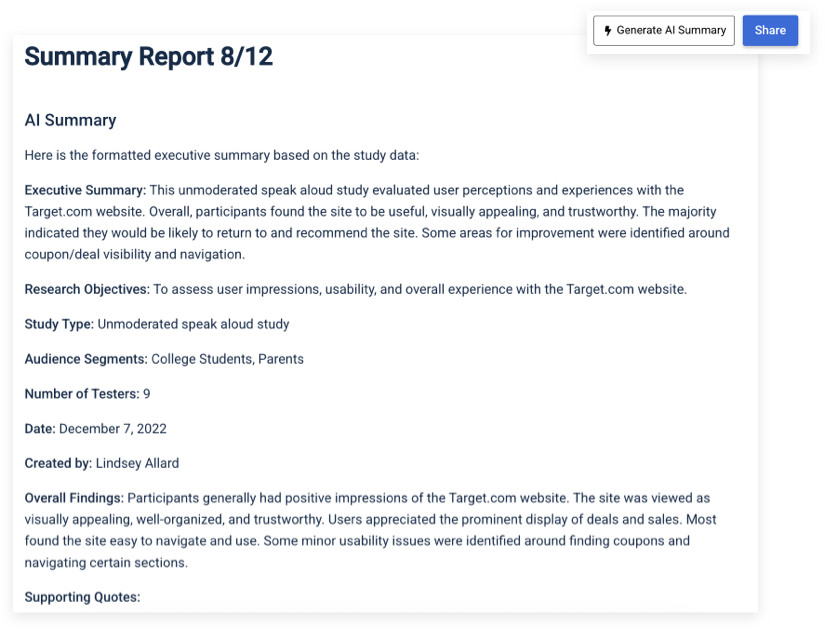
Generate comprehensive executive summary reports instantly. These reports pull together your study setup details, participant demographics, and video transcriptions into a shareable report.
PlaybookUX highlights the most important themes and backs them up with participant quotes, plus suggests ideas for your next research studies. You can even conduct research in one language and receive your executive summary in another, such as running a study in German but getting the report in English.
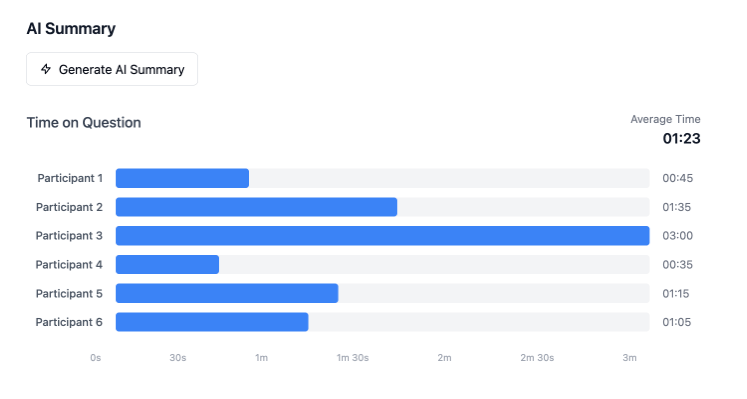
Analyze verbal, written, and behavioral data from specific research tasks. PlaybookUX identifies recurring themes, measures participant sentiment, and flags any outlier responses so you can surface what matters without manual review.
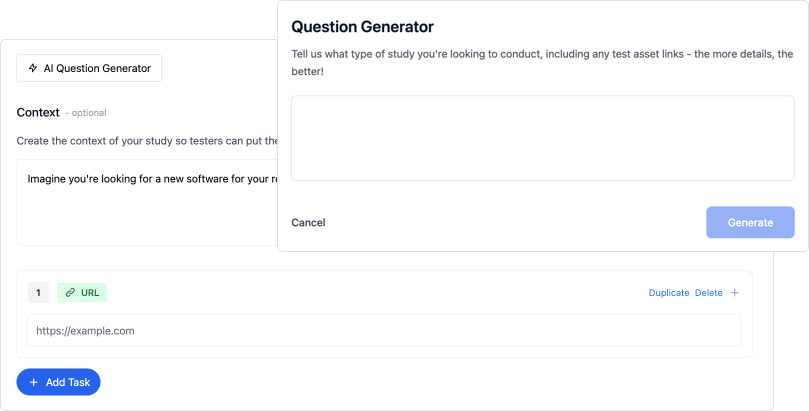
Build complete screener questionnaires and study guides from scratch. Share your research objectives and any materials you're testing and PlaybookUX will generate unbiased scripts designed to get you the insights you need.
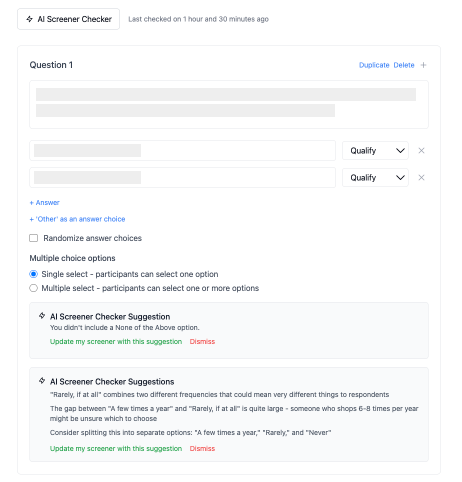
Practice good research governance with AI-powered screener and question reviews. The system catches common research mistakes including missing "none of the above" options that force participants to pick irrelevant answers, questions that unintentionally push respondents toward certain answers, vague response options like "sometimes" or "often" that mean different things to different people, and industry jargon that might confuse participants.
Get AI-powered summaries of your session replays that identify the most significant user interactions and suggest concrete UX improvements based on how visitors navigate your site.
Research Methods That Are Completely Built In
Every method comes with built-in recruiting, conducting, analysis & AI. No third-party tools, no stitching together workflows.
Book a demoTrusted by Teams Around the World
See what researchers and product teams say about automated usability testing with PlaybookUX.
Get started freePlaybookUX has become an essential part of our research toolkit. It's robust, fast and collaborative, especially when we need to present findings to stakeholders. We can move from concept to validation with speed.
Using PlaybookUX is an essential part of my job. It allows us to have a direct line to our millions of customers. We can seamlessly recruit, conduct and analyze research in a way that is understandable to stakeholders.
PlaybookUX enables us to run multiple rounds of comparison unmoderated testing to continuously refine our Product List Page. We also use the tool to successfully optimize our in-store kiosk experience, ultimately increasing adoption and reducing overhead.
Our design teams are able to test prototypes quickly without waiting for everything to be perfect. We want to test as much as possible, iterate quickly, and move forward. PlaybookUX allows us to do that in a very straightforward way.
Automated Usability Testing Features
Everything you need to recruit participants, run studies, and surface insights, all in one platform.
Everything you need to build, recruit, and launch your unmoderated study.
Recruit and Target
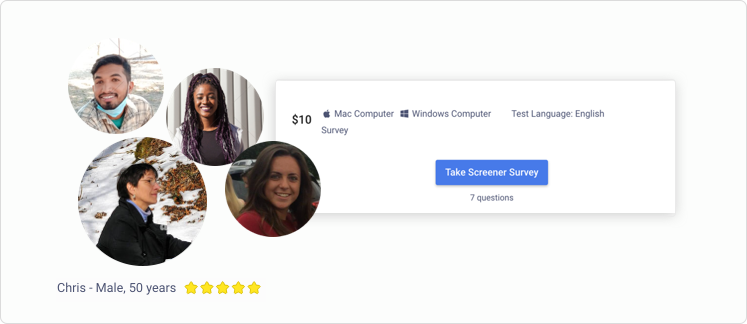
PlaybookUX participant panel
Recruit from a panel of over 7 million vetted participants, backed by an industry-leading fraud prevention program. Our robust participant platform matches participants with projects that fit their profile.
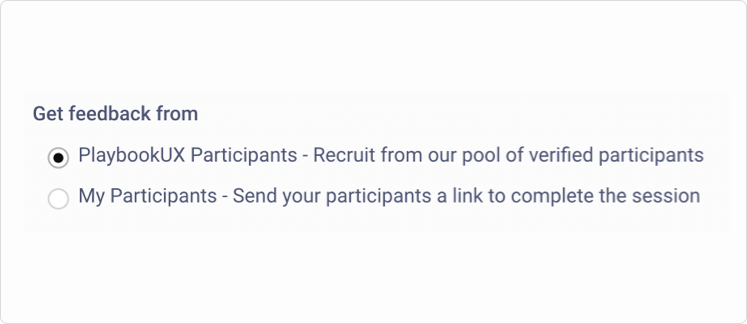
Use our panel or your own users
Use the PlaybookUX panel to target your ideal customer. Additionally you can send your own participants a link to participate in sessions.
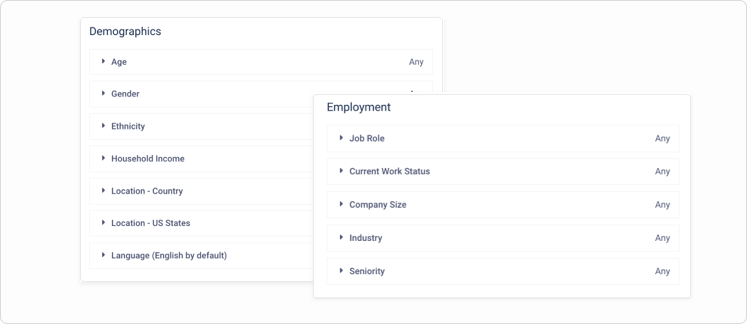
Consumer and professional targeting
Target both consumers and professionals by age, gender, income, job title, industry and company size (among many other filters) and get more specific with screener questions.
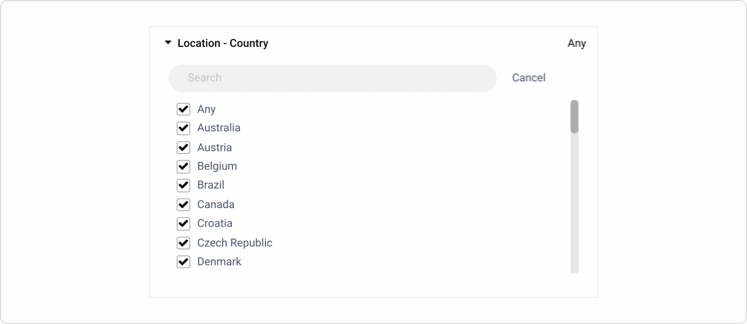
International testing
Recruit an audience from over 50 different countries including the United States, Canada, United Kingdom, Germany, Australia, France and many more.
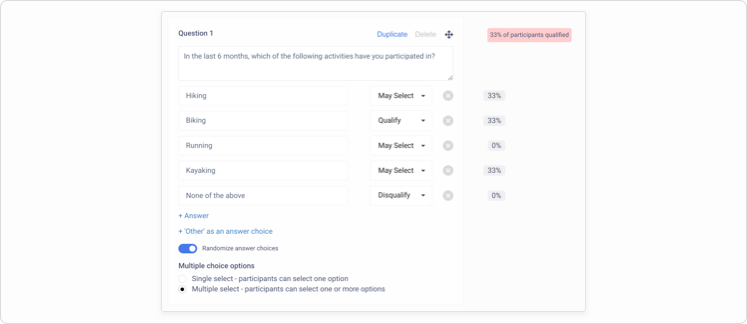
Screener survey
Qualify participants with single and multi-select screener surveys. Reduce bias by randomizing the answer choices. Once your study is live, we'll surface where participants are disqualifying so you can make edits on the fly.
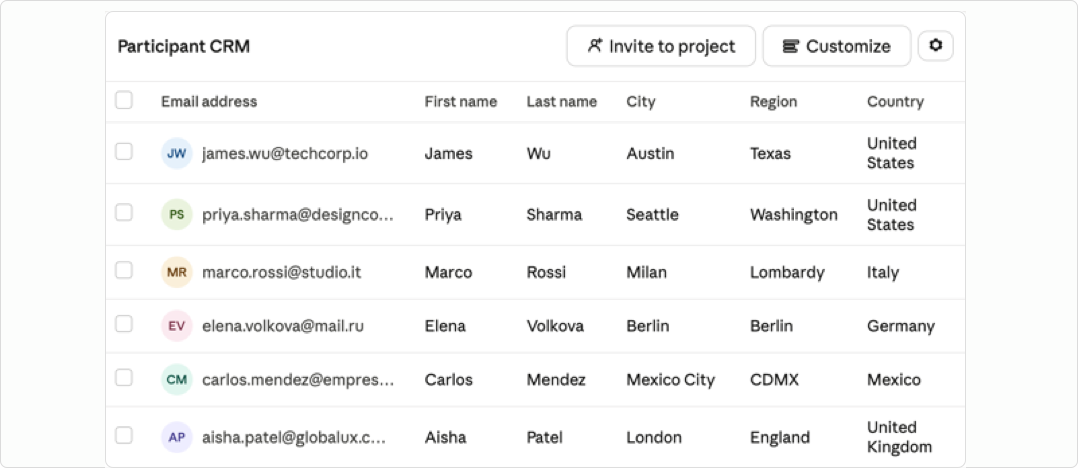
Built-in Participant CRM
Build and manage your own participant CRM directly within the platform. Collect participants through intercept signups or upload your own lists. Configure your domain so all communications send from your own email.
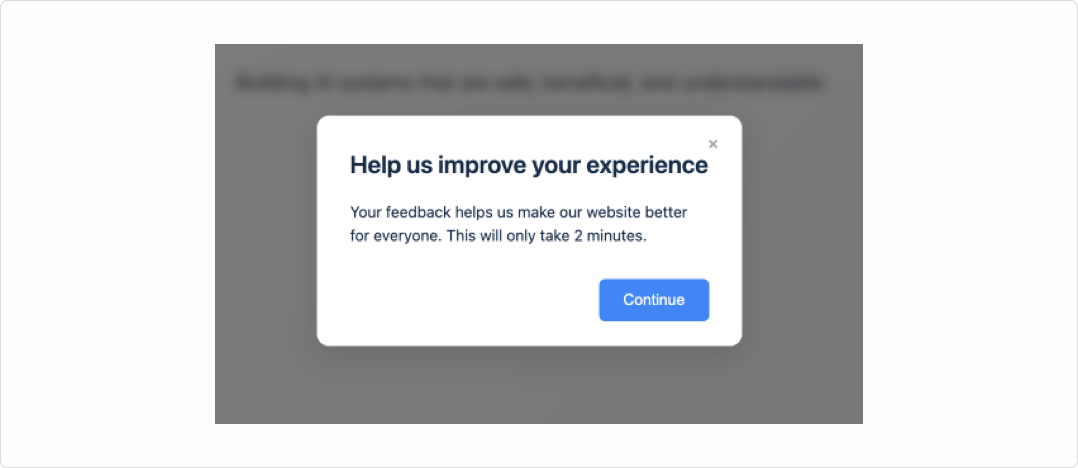
Intercepts Patented
Intercept visitors at key moments based on behavioral and session-based triggers. Invite them to a study, prompt them to join a private panel, or capture feedback in context.
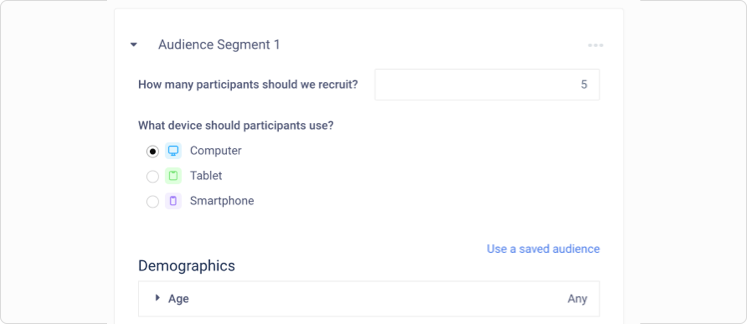
Segmentation
When you're using the PlaybookUX panel, you can set up segments to ensure exact demographic quotas.
Study Design
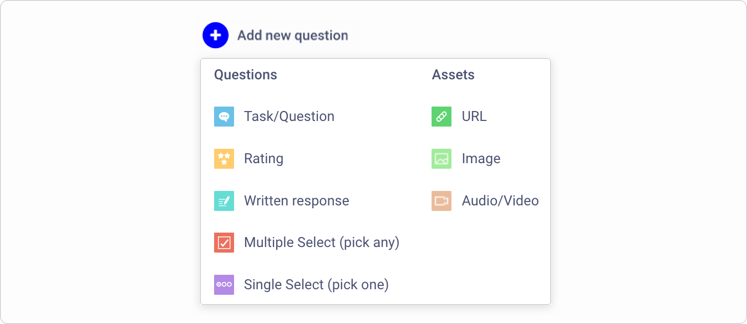
Qualitative and quantitative
Ask participants verbal response questions, tasks, multiple choice, rating scale and written response questions. Additionally, you can add links, upload images and videos for testing.
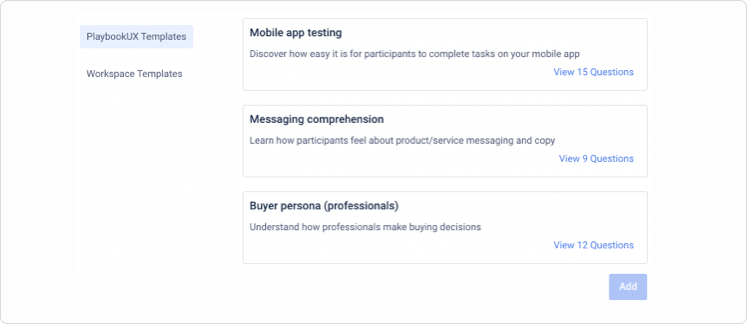
Question and audience templates
With the click of a button, import PlaybookUX authored templates. If you're looking for a more customized template, you can save your own test script and audience templates.
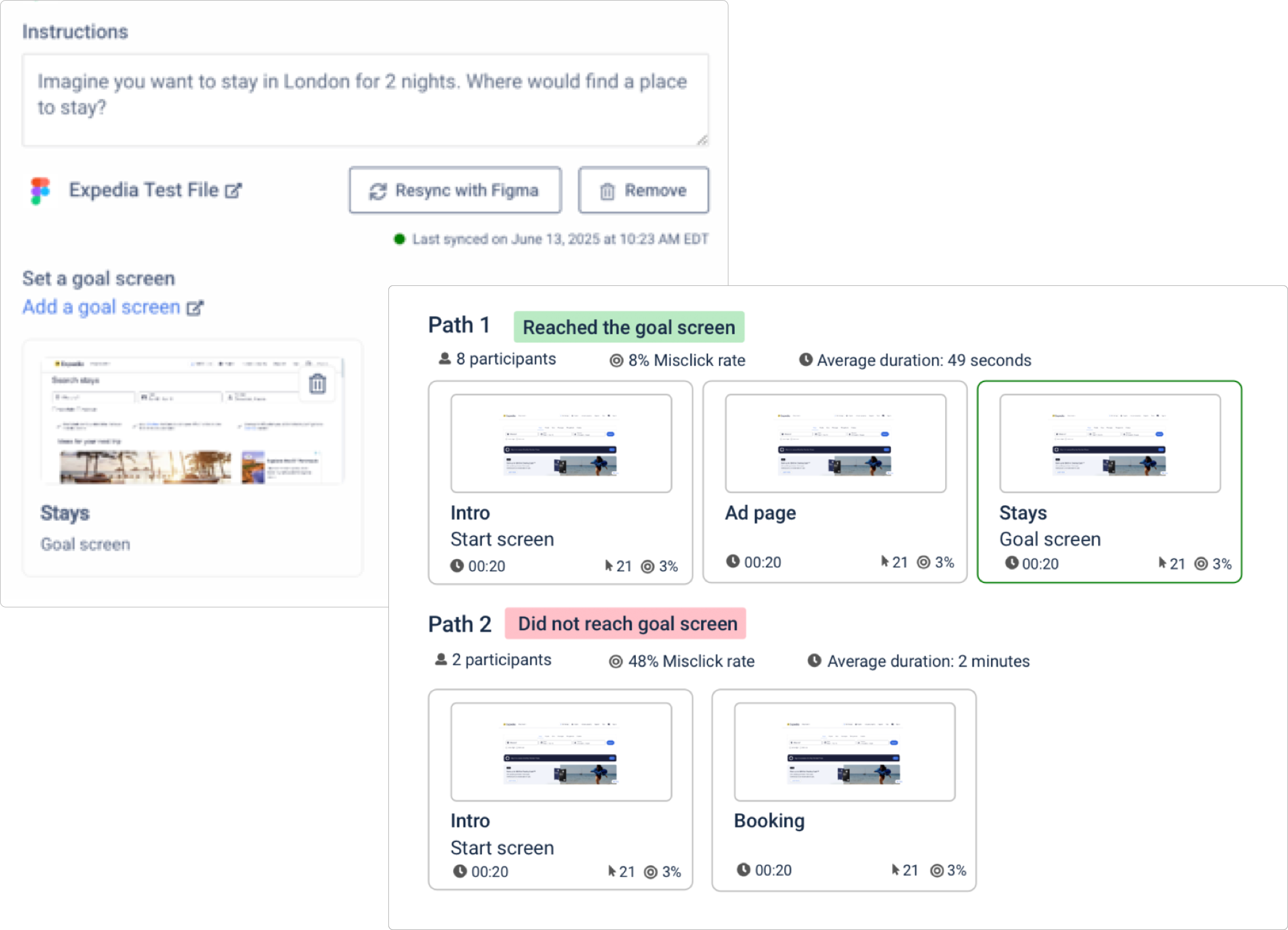
Figma integration and testing
Set target screens to measure how effectively users navigate your prototype. Track goal completion rates, misclicks, time on each screen, and visualize interaction patterns with dynamic heat map and click map overlays.
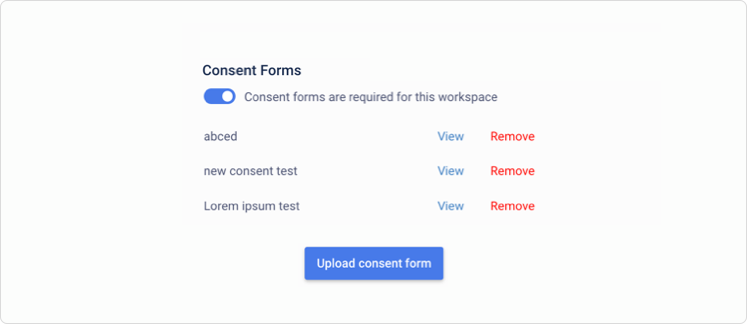
Custom consent forms
Skip the hassle of collecting confidentiality and consent forms prior to the session and upload a custom consent form to PlaybookUX. Participants will read and agree to the consent form prior to participating in your study.
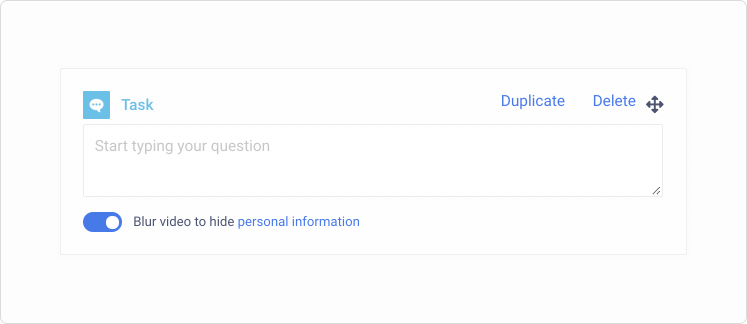
Hide PII
To avoid collecting personally identifiable information (PII), use the blur tool. Toggle on the blur feature to blur the participant's screen during that specific task.
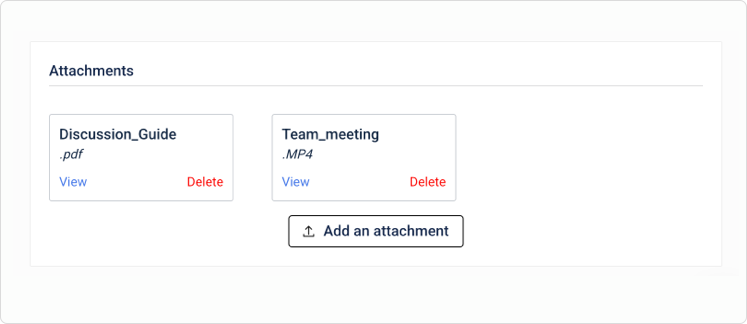
Attachments
Attach assets related to your research projects such as discussion guides, planning sessions and more.
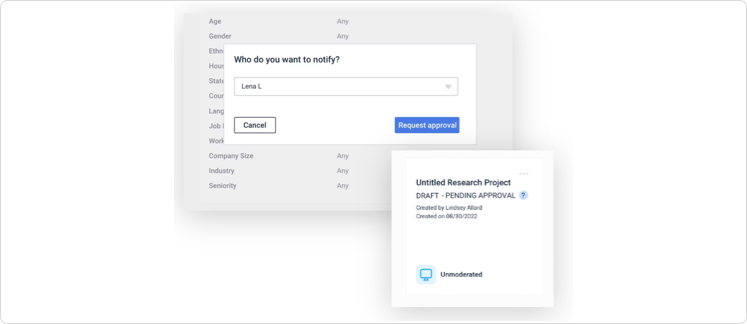
Approval roles
Admins can designate that certain team members require approval prior to launching a project, ensuring quality research governance. Alternatively, admins can exclude certain people from the approval flow.
Randomize questions
Randomize the order of questions across participants to reduce bias and prevent order effects from skewing your results.
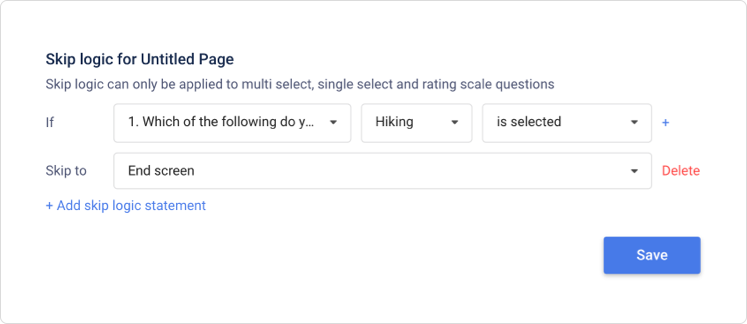
Logic and skip logic
Route participants to different questions based on their responses. Build branching paths so each participant only sees the questions that are relevant to them.
Recording and Technology
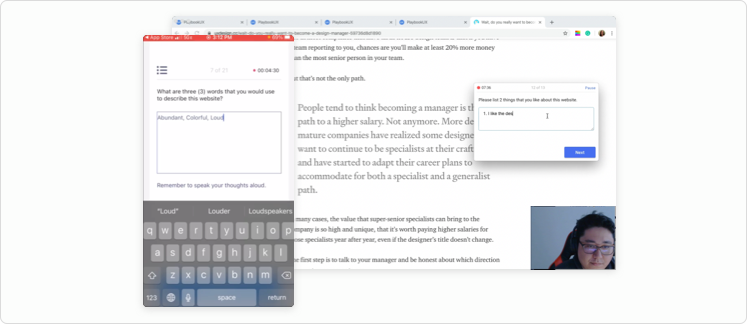
PlaybookUX recorder Patented
The PlaybookUX screen recorder captures participants' face, voice, and screen across all devices, including desktop, mobile, and tablet. The desktop recorder is completely no-download and built on patented technology.
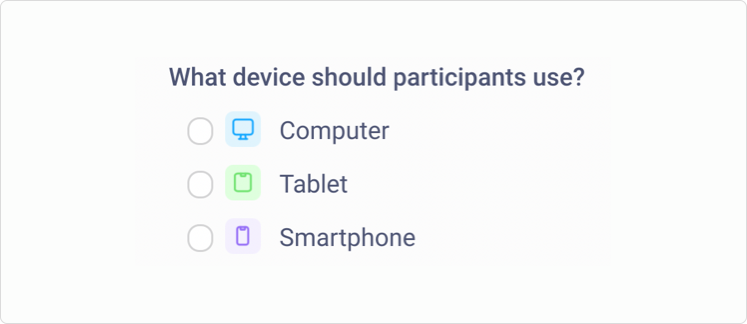
Computer, tablet and mobile
Discover how your website, prototype or app performs across different devices and operating systems (Windows, Mac, Android, iOS etc).
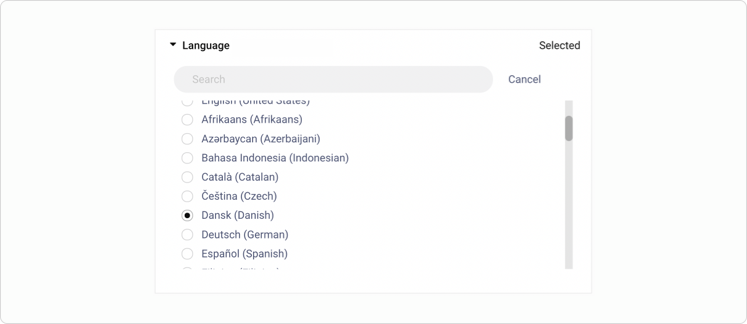
Localized participant platform
The tester platform and tester apps will be displayed in the language you select during project setup. Participants will answer questions out loud in the language selected and we'll transcribe the session in that language. We currently support over 50 languages.
Add any of these built-in methods to your unmoderated study. Participants record their screen and vocalize their thoughts as they complete each task.
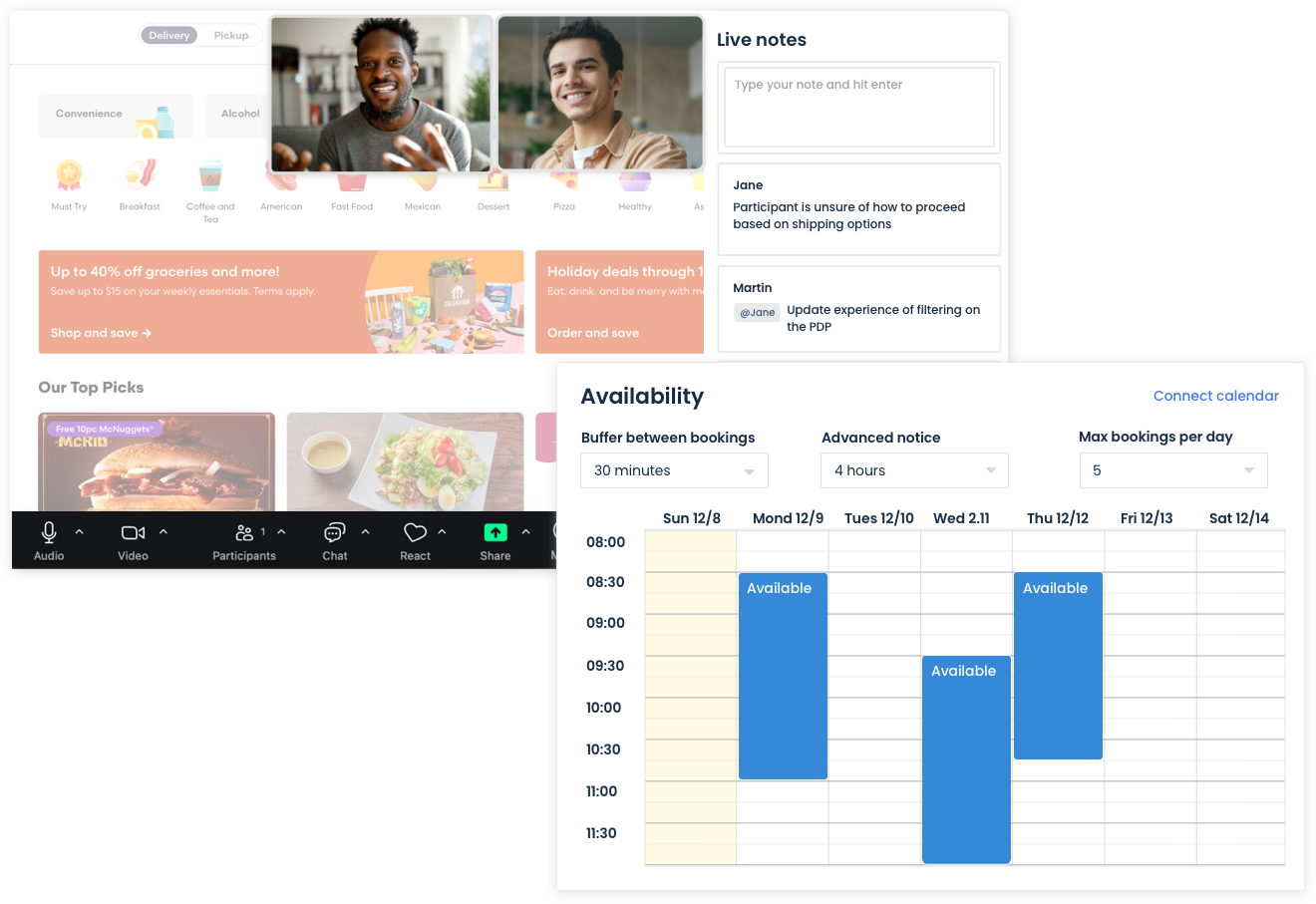
Moderated Interviews
Gain deeper insights from speaking directly to your target demographic. All you have to do is join the video call and we'll automatically record, transcribe and upload the session for you to analyze. Utilize the PlaybookUX research ops suite so you can focus on interviewing, not the logistics.
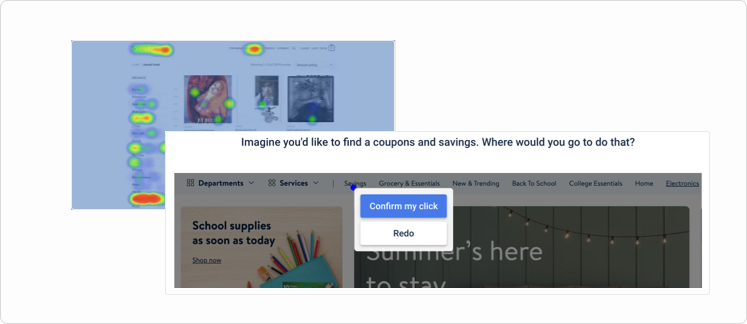
First click testing
Include a first-click test into your unmoderated study to understand what draws a participant's attention about a test asset. Use heat maps to analyze the results for a view into the aggregated participant data.
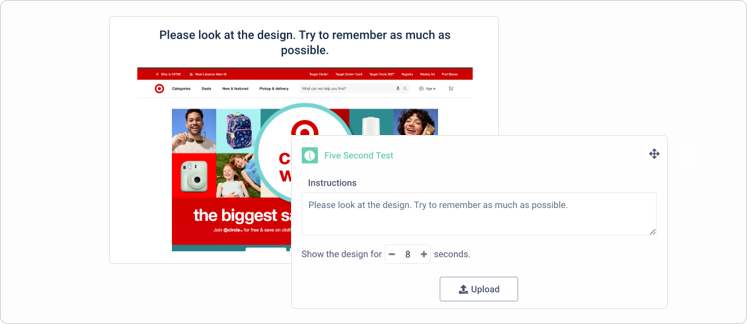
Five-second testing
Add a five-second test to gather a participant's first impression. While it's called a five-second test, you can customize the length of time that participants will view the test asset.
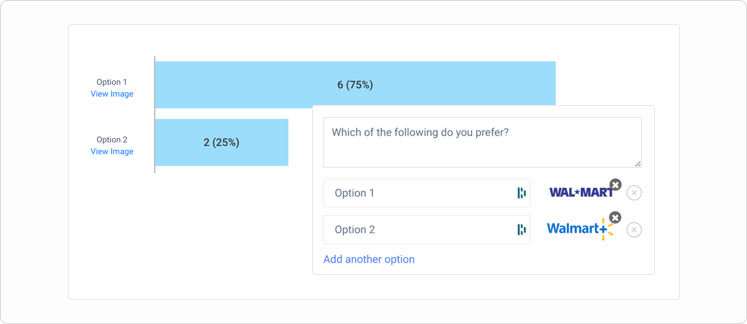
Preference testing
Incorporate a preference test into your unmoderated project with the built-in preference testing tool. Participants will record their screen and vocalize their thoughts as they complete the preference test.
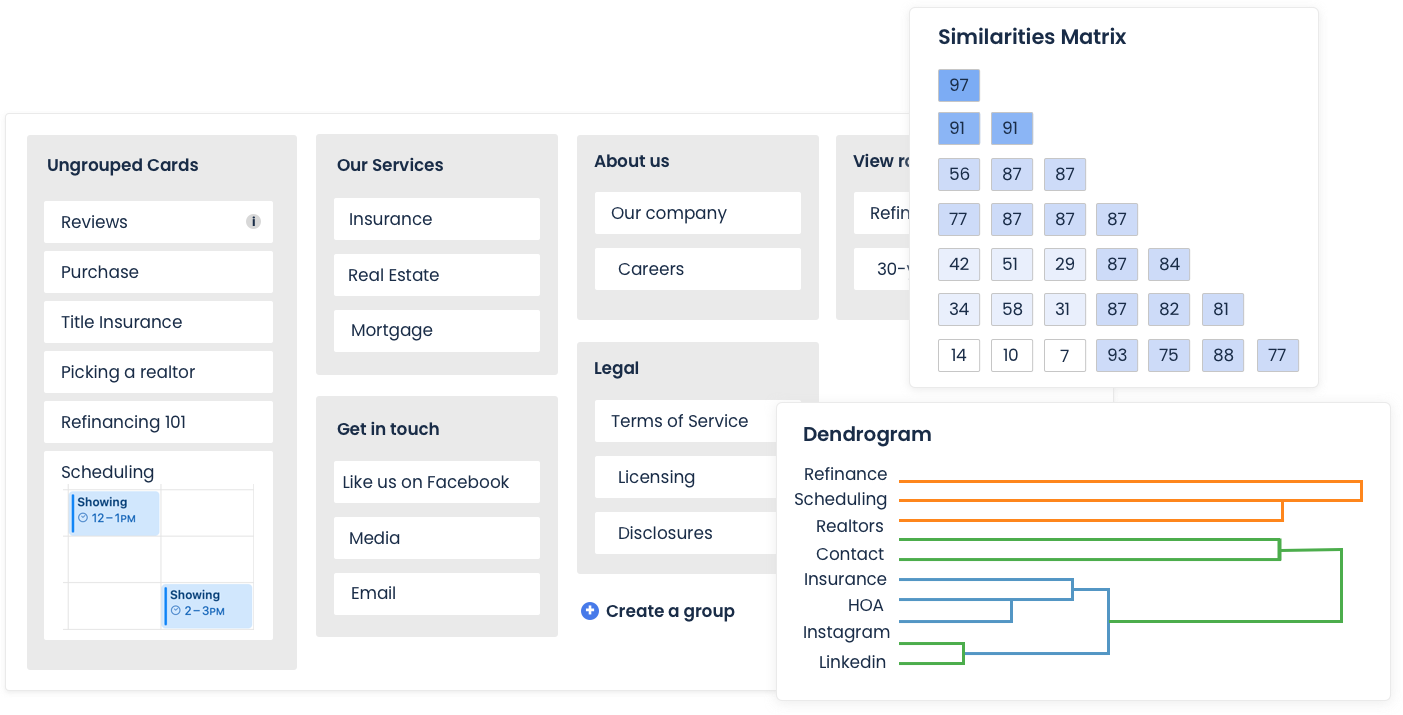
Card sorting
Add a card sort to an unmoderated session to understand why participants organize content in a specific way. Participants record their screen and speak their thoughts out loud.
Tree testing
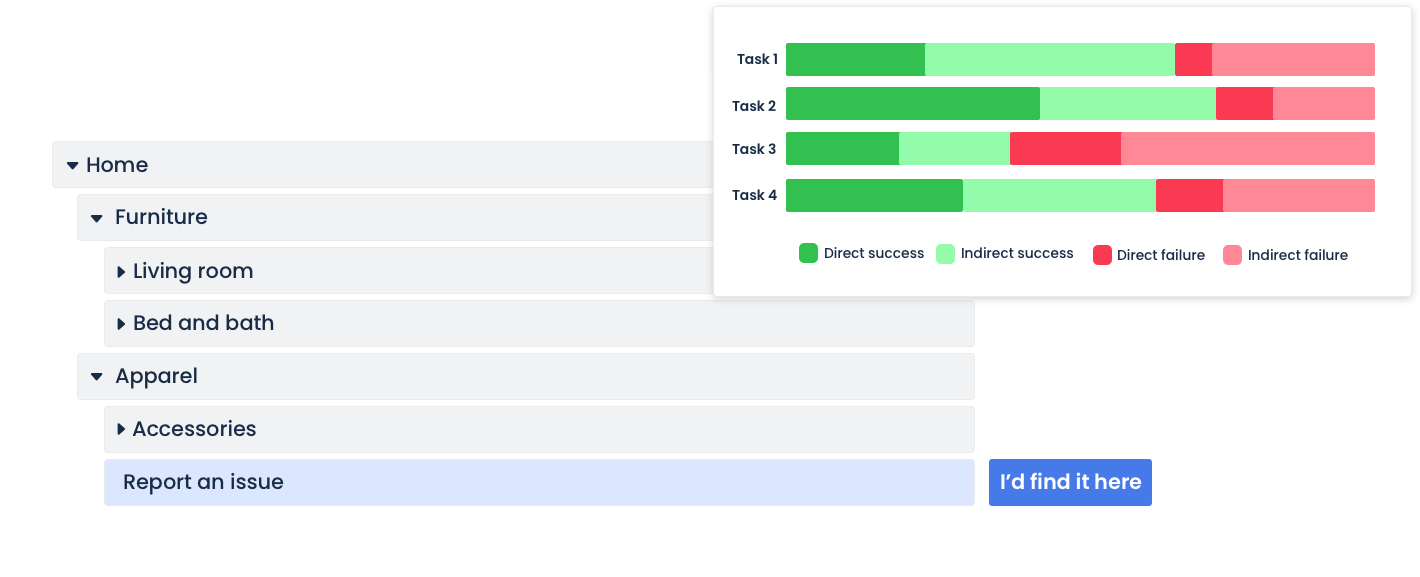
Add a tree test to an unmoderated session to understand why participants find content in a specific way. Participants record their screen and speak their thoughts out loud.
Diary studies
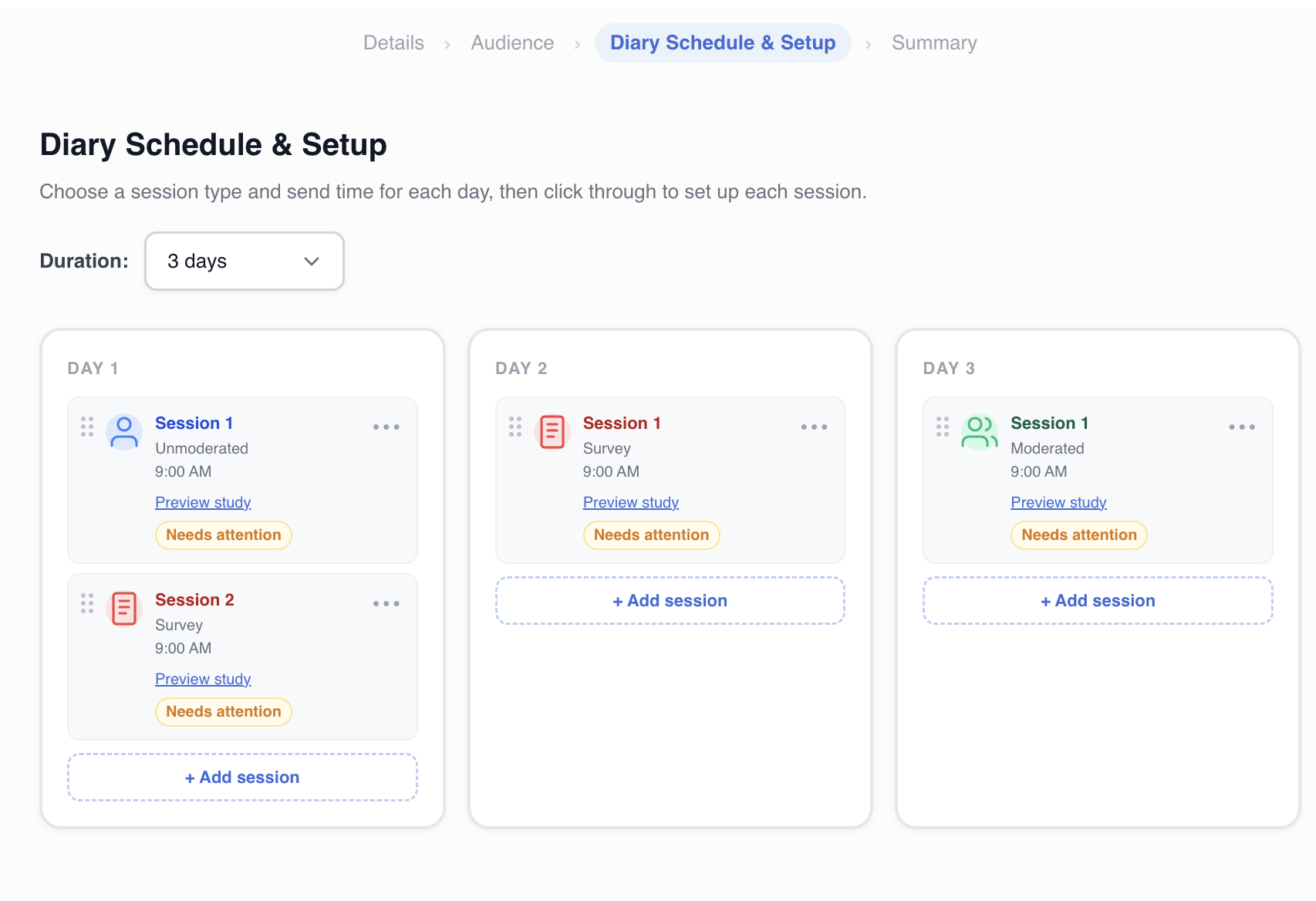
Run longitudinal research over days or weeks to capture how participant experiences, behaviors, and attitudes change over time. Diary studies surface insights that single-session testing cannot.
Watch sessions, surface insights, and share findings with your team.
Review Sessions
Video controls
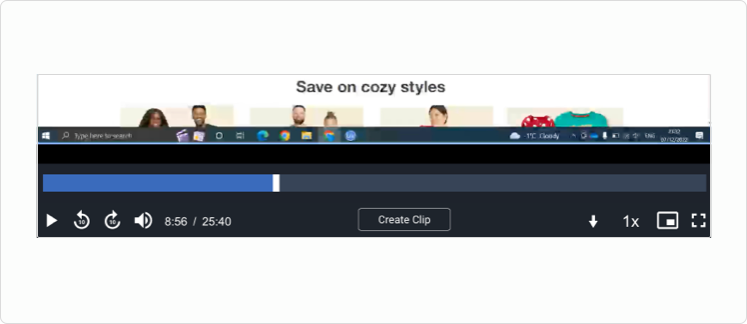
Adjust the viewing speed, jump 10-seconds, and watch the session picture-in-picture. Enable transcript autoscrolling to seamlessly follow along.
Transcript
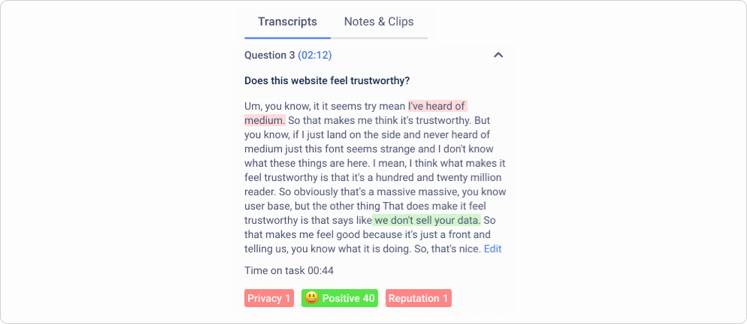
After the session, we'll automatically generate a transcript of the session that is broken down by task.
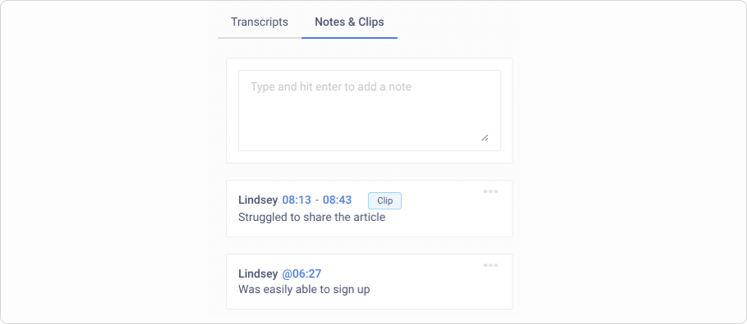
Timestamped notes
Quickly refer to important moments by creating timestamped notes.
Synthesize and Tag
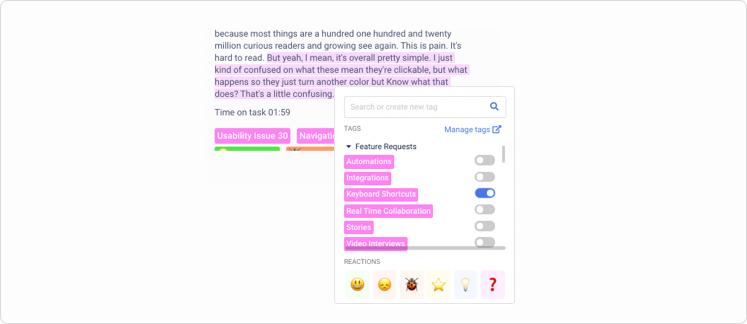
Tags and reactions
Tagging the transcript, notes and clips is a great way to find themes in your qualitative research across projects and over time. Using tags and reactions will help you identify and keep track of patterns that emerge across your research data.
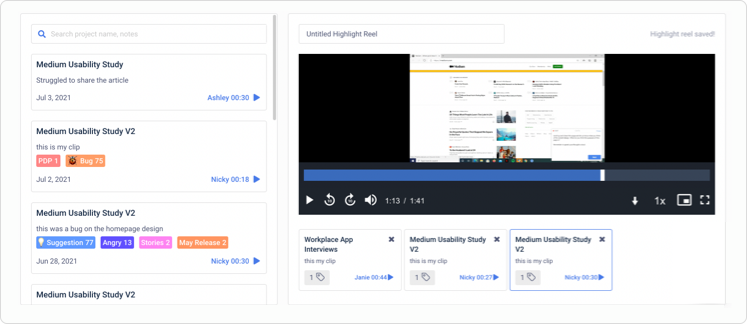
Clips and highlight reels
Capture important moments by creating clips to share with colleagues. You can create highlight reels of clips across projects. Everything is downloadable and shareable with a password-protected link for additional security.
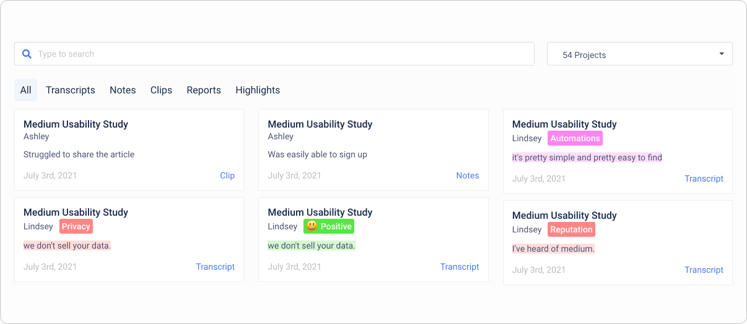
Universal search
Retrieve past research with the click of a button. Easily search your entire research database for transcripts, notes, tags, clips or reports.
Analyze and Report
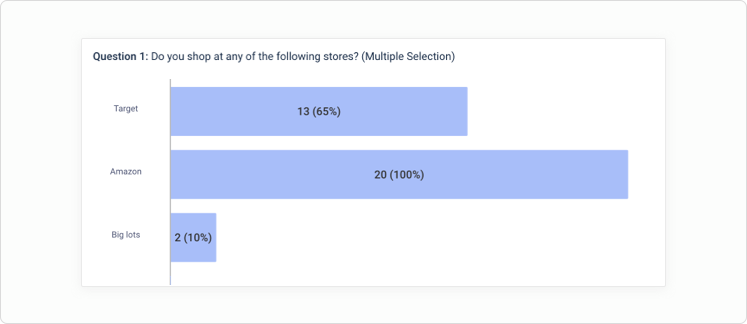
Analytics charts and graphs
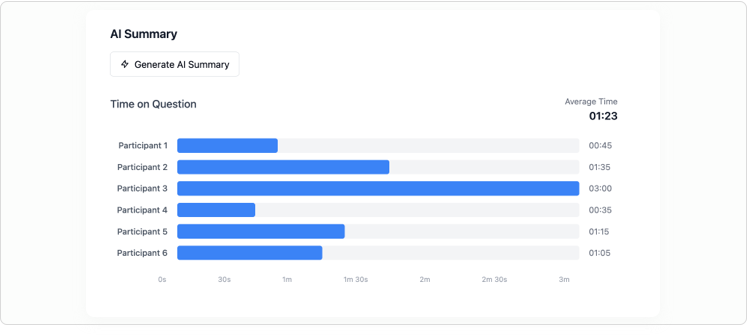
After the session, we'll generate charts and graphs based on participant responses. Additionally, each question will have a time-on-task chart and a breakdown of the transcript by participant.
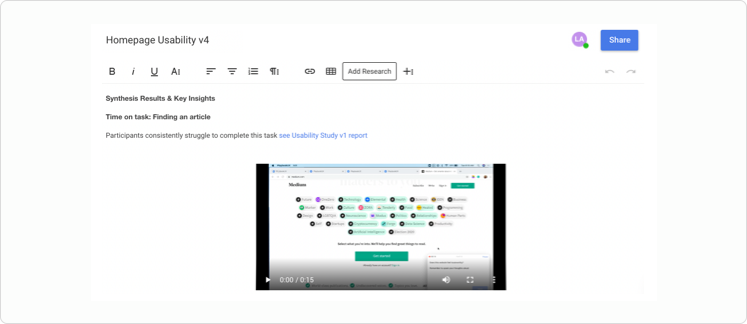
Build your own reports
Generate custom summary reports to present to team members. You can import clips, highlight reels, tags and notes into reports. Reports are shareable with a password-protected link.
Organize and Share

Workspaces and folders
Keep your research organized by setting up workspaces for different research teams and initiatives. Within workspaces, sort projects into folders. Subsequently, you can group folders.
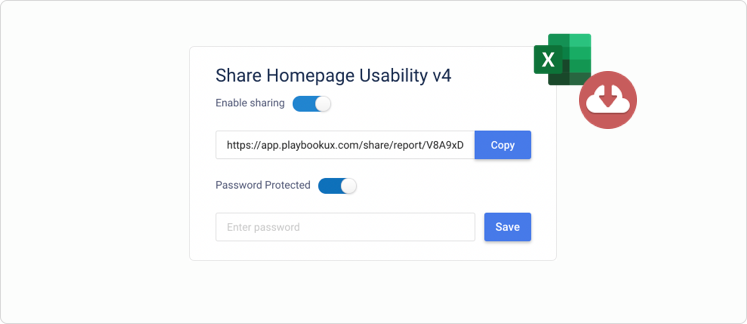
Share, download and export
Full projects, clips, highlight reels and reports are shareable with a password-protected link. Additionally, you can download videos and export project data.

ISO 27001, ISO 27701, SOC 2 Type II
PlaybookUX prioritizes data protection and adheres to the highest security and privacy standards. Check out our security center to discover how we safeguard your information.
Advanced AI
AI Personas (Synthetic Participants) Patented
Generate lifelike AI personas directly from your PlaybookUX video research, grounded in actual user behavior, transcripts, and insights. Our patent-pending technology lets you select videos from your library, enhance with custom prompts and data, then deploy these personas across future research studies for instant feedback and validation.
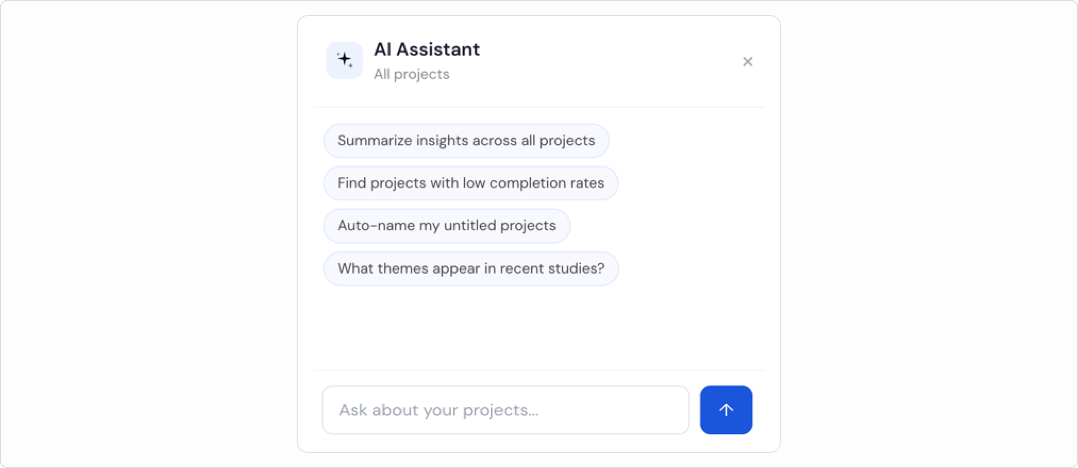
AI assistant (AI agent)
Leverage AI to run autonomous workflows, such as automatically tagging transcripts based on defined criteria, scheduling recurring usage reports via email, and handling a wide range of repetitive tasks behind the scenes.
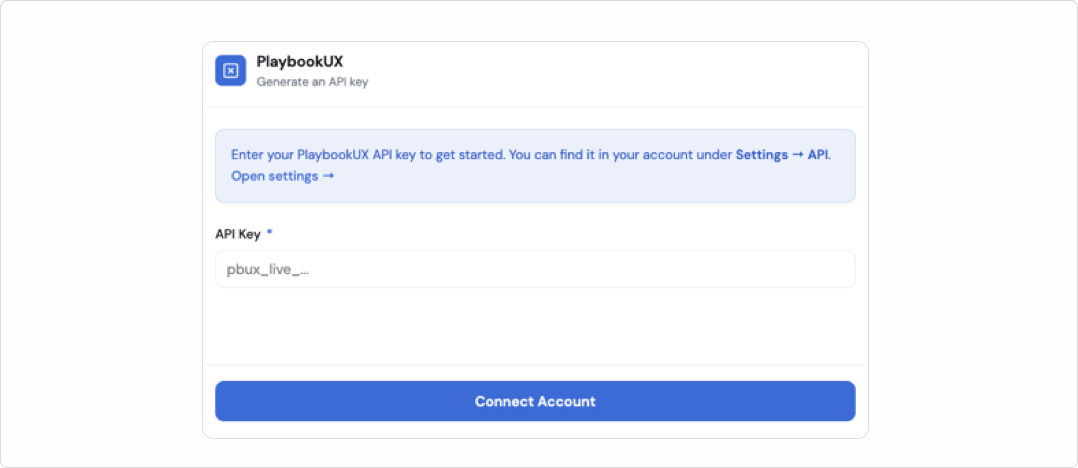
API and MCP
Connect to our public API, powered by an MCP layer, to launch projects, retrieve results, and seamlessly sync with your Participant CRM. Easily integrate with millions of other tools.
Study Setup
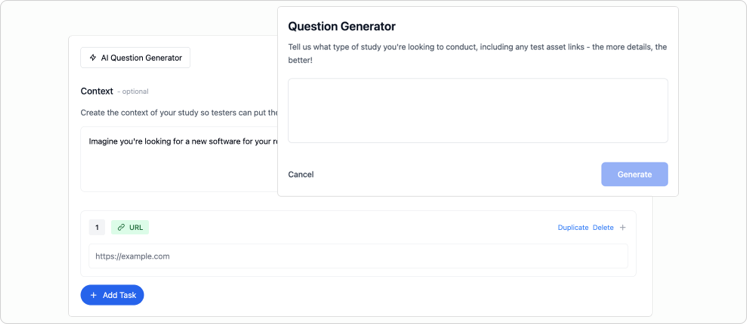
Generator: screener and study script
Build complete screener questionnaires and study guides from scratch. Just tell us your research objectives and share any materials you're testing, and we'll create unbiased scripts that get you the insights you need.
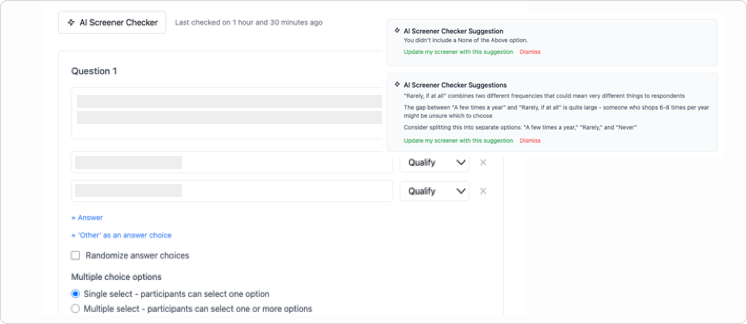
Question checker
Practice good research governance with AI-powered screener and question reviews. The system catches common research mistakes like missing "none of the above" options, vague response options, and industry jargon that might confuse participants.
AI follow-up questions
Get richer insights from every session. Our AI asks smart follow-up questions that capture nuanced responses and additional data points you might have missed, giving researchers more comprehensive results to work with.
Insights and Reporting
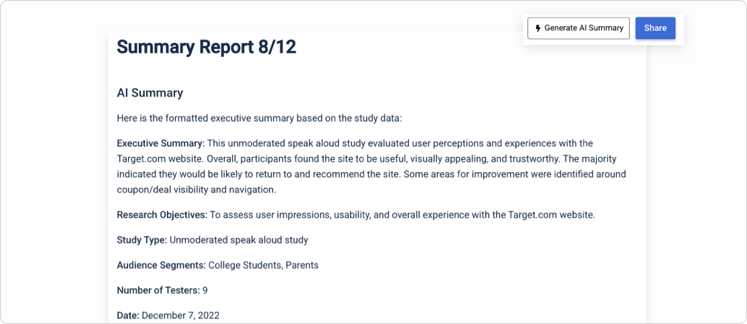
AI executive reports
Generate comprehensive executive summary reports instantly. These reports pull together your study setup details, participant demographics, and video transcriptions into a shareable report. We'll highlight the most important themes and back them up with participant quotes, plus suggest ideas for your next research studies. You can even conduct research in one language and get your summary report in another.
AI task summaries
Analyze verbal, written, and behavioral data from specific research tasks. Our AI will identify recurring themes, measure participant sentiment, points of friction, and flag any outlier responses.
Customer Success That Drives Your Growth
Your dedicated customer success manager and support team are focused on helping your organization achieve its research goals. Whether you need guidance on best practices, assistance with study design, or support managing utilization, our experts are here to ensure you stay on track and meet your deadlines. With PlaybookUX, you get more than just a tool. You gain a trusted partner in your research journey.
Book a demoEnterprise-Grade Security. Your Data Is Protected.
PlaybookUX is GDPR and CCPA compliant and has hosting in both the US & EU.